> ## Documentation Index
> Fetch the complete documentation index at: https://docs.retellai.com/llms.txt
> Use this file to discover all available pages before exploring further.
# Billing overview and usage tracking
> Monitor Retell workspace usage, manage your Stripe payment methods, download invoices, and review cost breakdowns by provider and category.
## Billing Overview
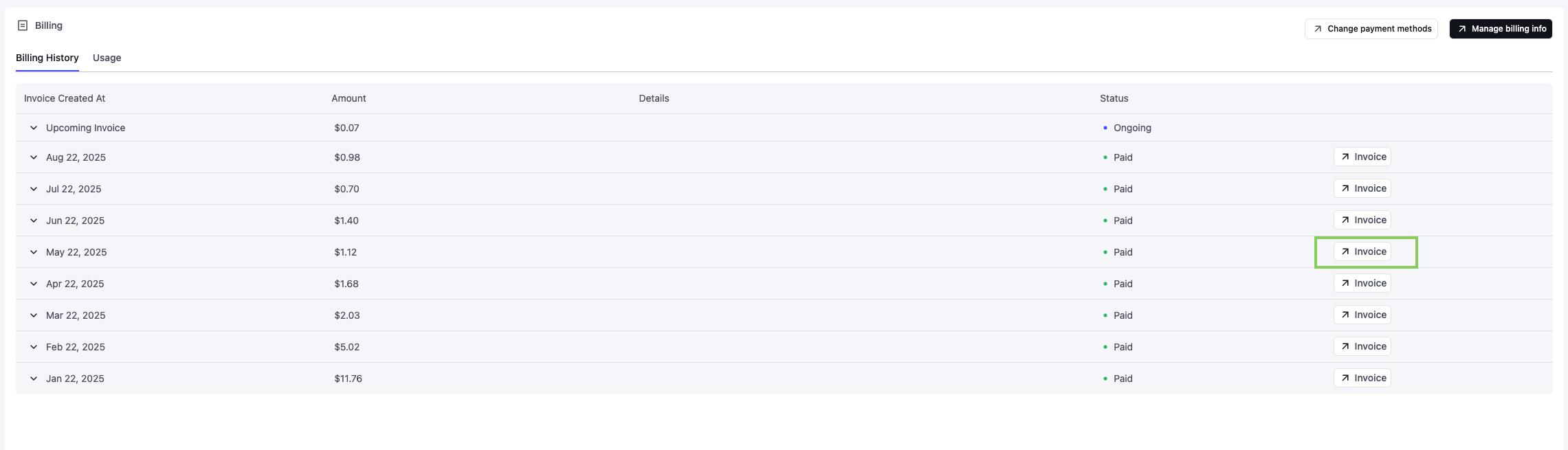
The Billing tab allows you to manage payments, track expenses, and download invoices. Here's what you can do:
1. Payment Management: We use Stripe for secure and reliable payment processing. You can update your payment methods by clicking on the "Change payment methods" button.
2. Billing History: Review your monthly expenses, including detailed cost breakdowns by category (e.g., Voice Infra, LLM).
3. Invoices: Easily download invoices by clicking the "Invoice" button next to the respective period.
4. Current Charges: View ongoing costs for the current billing period, including itemized amounts and usage details.
Retell uses **post-usage billing**, not a prepaid credit balance. You are charged at the end of each billing period based on actual usage on the payment method you have on file — there is no manual top-up or auto-recharge to configure. Make sure a valid payment method is added (see [Add payment methods](/accounts/add-payment)) to avoid service interruptions. If a charge fails, follow [Handle failed payments](/accounts/fail-payment).
 ## View usage breakdown
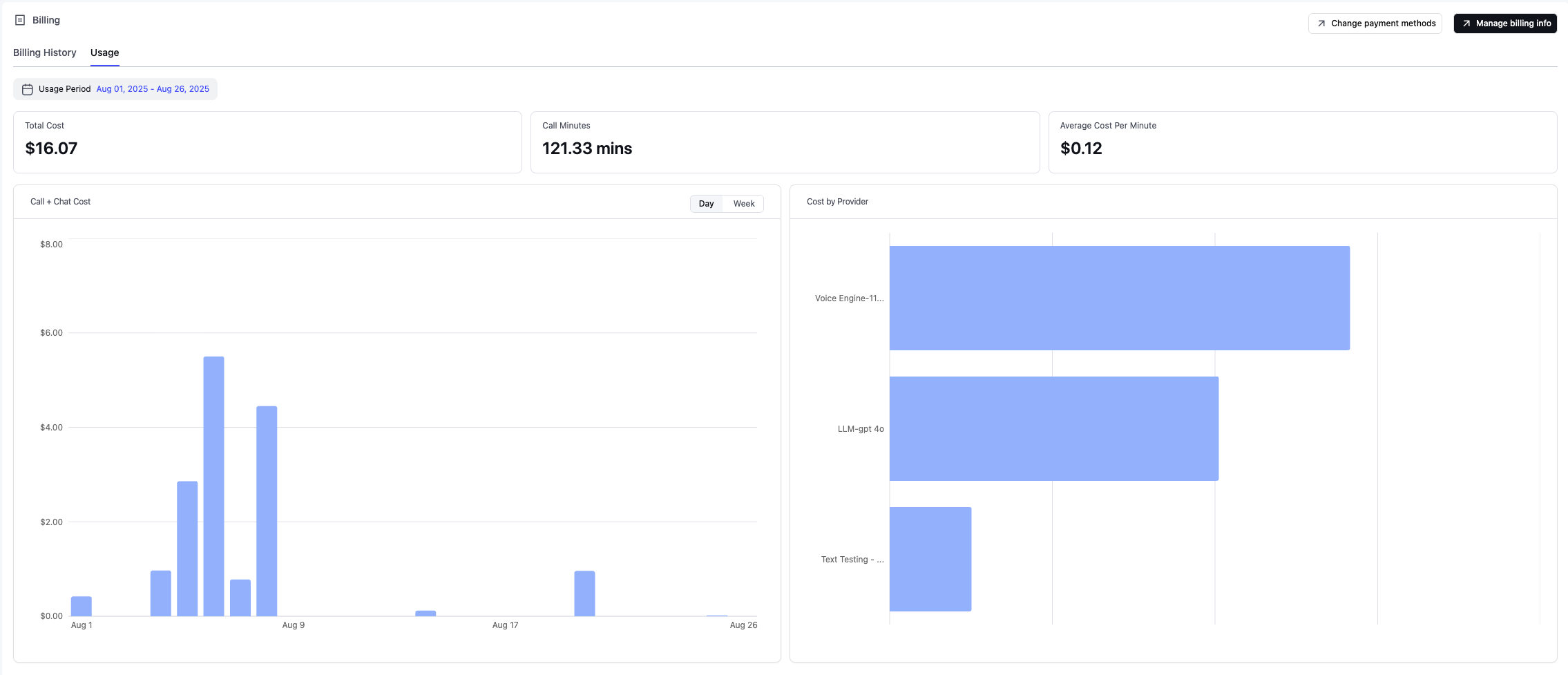
The Usage tab on the Billing page provides a clear breakdown of your workspace’s activity and costs. Here’s what you can track:
1. Total Cost: Your total expenses for the selected billing period.
2. Call Minutes: The total number of call minutes used.
3. Average Cost Per Minute: The average cost for each minute of calls.
4. Daily or weekly call costs, making it easy to identify high-cost periods and track spending trends over time.
5. Cost by Provider: A detailed breakdown of expenses across providers, such as voice infra, large language models (LLMs), telephony services, and concurrency usage.
## View usage breakdown
The Usage tab on the Billing page provides a clear breakdown of your workspace’s activity and costs. Here’s what you can track:
1. Total Cost: Your total expenses for the selected billing period.
2. Call Minutes: The total number of call minutes used.
3. Average Cost Per Minute: The average cost for each minute of calls.
4. Daily or weekly call costs, making it easy to identify high-cost periods and track spending trends over time.
5. Cost by Provider: A detailed breakdown of expenses across providers, such as voice infra, large language models (LLMs), telephony services, and concurrency usage.
 ## Stop charges or close your account
Because Retell uses post-usage billing, there is no recurring subscription to cancel and no fixed monthly fee on the pay-as-you-go plan — you are only charged for usage you actually incur (call minutes, phone numbers, knowledge bases, and other line items shown on the Billing page).
To stop accruing charges:
1. **Stop running calls.** Once no calls are made, no usage charges accrue for the next billing period.
2. **Release any phone numbers you own.** Numbers purchased through Retell are billed monthly until released. Remove the number from the Phone Numbers page in the dashboard, or call the [Delete Phone Number API](/api-references/delete-phone-number).
3. **Delete knowledge bases beyond the free tier.** Additional knowledge bases are billed monthly until deleted.
4. **Settle any outstanding invoices** on the Billing page.
If you also want to close your account entirely, follow [Delete your account](/accounts/account#delete-your-account) after completing the steps above. If you are on a custom/enterprise plan or need help confirming there are no remaining recurring charges, contact [Retell support](https://support.retellai.com/).
## Stop charges or close your account
Because Retell uses post-usage billing, there is no recurring subscription to cancel and no fixed monthly fee on the pay-as-you-go plan — you are only charged for usage you actually incur (call minutes, phone numbers, knowledge bases, and other line items shown on the Billing page).
To stop accruing charges:
1. **Stop running calls.** Once no calls are made, no usage charges accrue for the next billing period.
2. **Release any phone numbers you own.** Numbers purchased through Retell are billed monthly until released. Remove the number from the Phone Numbers page in the dashboard, or call the [Delete Phone Number API](/api-references/delete-phone-number).
3. **Delete knowledge bases beyond the free tier.** Additional knowledge bases are billed monthly until deleted.
4. **Settle any outstanding invoices** on the Billing page.
If you also want to close your account entirely, follow [Delete your account](/accounts/account#delete-your-account) after completing the steps above. If you are on a custom/enterprise plan or need help confirming there are no remaining recurring charges, contact [Retell support](https://support.retellai.com/).