> ## Documentation Index
> Fetch the complete documentation index at: https://docs.retellai.com/llms.txt
> Use this file to discover all available pages before exploring further.
# Dynamic variables: personalize Retell agent calls
> Inject per-call data into Retell agents using `{{variable_name}}` syntax for personalized greetings, context-aware responses, and dynamic call routing.
## Overview
Dynamic variables allow you to inject personalized data into your agent's responses for each specific call. Using the `{{variable_name}}` syntax, you can create agents that adapt to different contexts while maintaining consistent conversation flows.
### Common Use Cases
* **Personalized greetings**: "Hello `{{customer_name}}`, thanks for calling!"
* **Context-aware responses**: "I see you're calling about order `{{order_id}}`"
* **Dynamic routing**: Transfer to different numbers based on `{{department}}`
* **Time-sensitive information**: Reference `{{appointment_date}}` or `{{deadline}}`
### Where Dynamic Variables Work
Dynamic variables can be used in:
* **Prompts**: Agent instructions and personality
* **Begin message**: Opening greeting
* **Tool configurations**:
* Custom function URLs
* Tool descriptions
* Property descriptions
* **Call handling**:
* Voicemail prompts and messages
* Transfer call phone numbers
* Warm transfer instructions
* **Webhook URLs**: Both agent-level (`webhook_url`) and account-level webhook URLs support dynamic variables, so you can route events per call (for example, `https://example.com/webhook?call_for={{customer_name}}`).
## Add & test dynamic variables
Dynamic variables are placeholders surrounded by double curly braces. For example:
```json theme={null}
"Hello {{user_name}}, I understand you're interested in {{product_name}}. How can I help you today?"
```
Supported fields include a **variable picker** so you do not have to remember exact names:
1. Type **`{{`** where you want a variable. A dropdown opens listing variables that apply in that context (for example, default system variables plus variables defined for the agent or flow).
2. **Filter** the list by typing more characters after `{{`.
3. **Choose a variable** with **Enter**, a **click**, or **Tab**. The editor inserts the full placeholder and closes the braces, for example `{{customer_name}}`.
You can still type `{{variable_name}}` by hand in supported fields. The picker is optional.
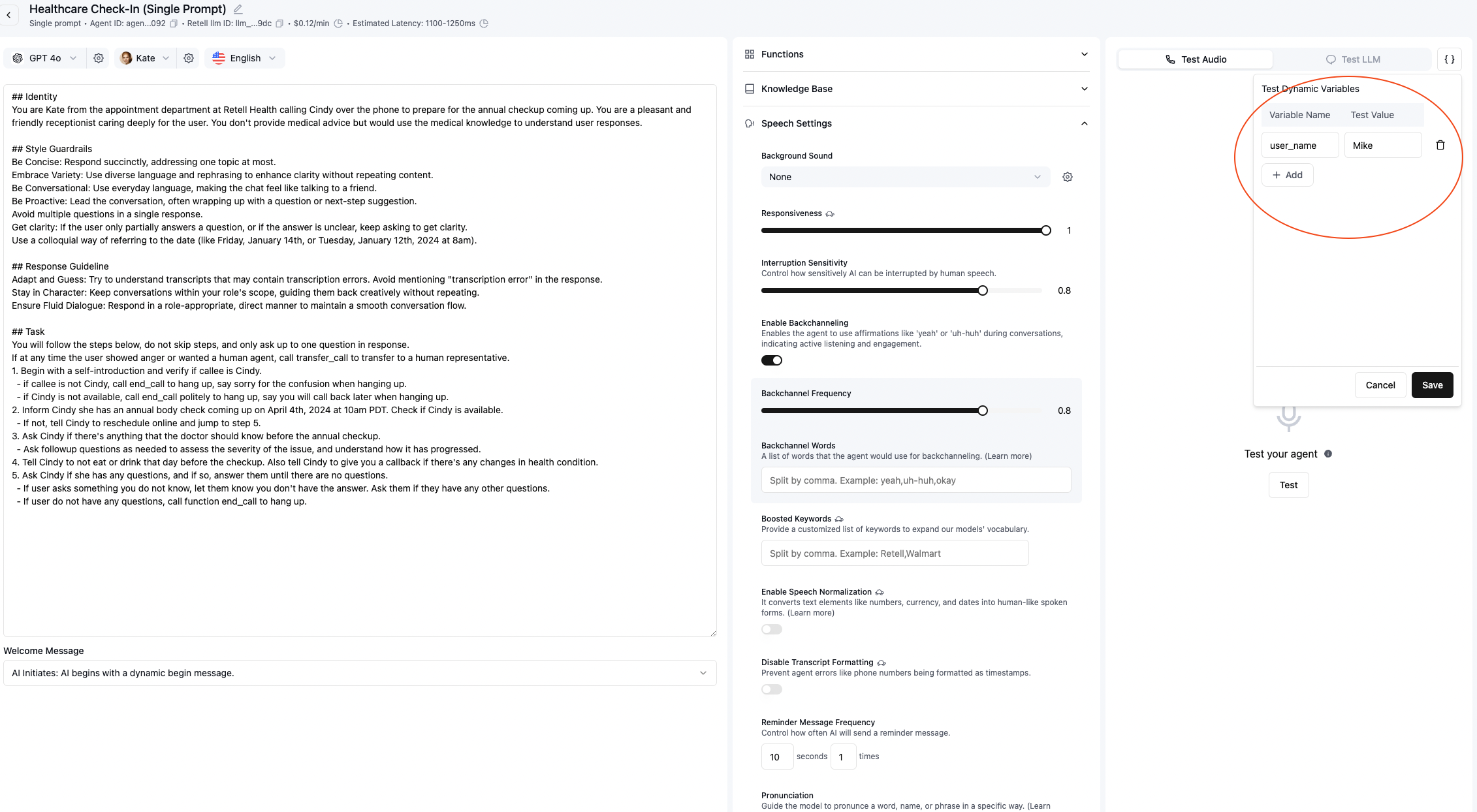
Before deploying, test your dynamic variables using the web interface
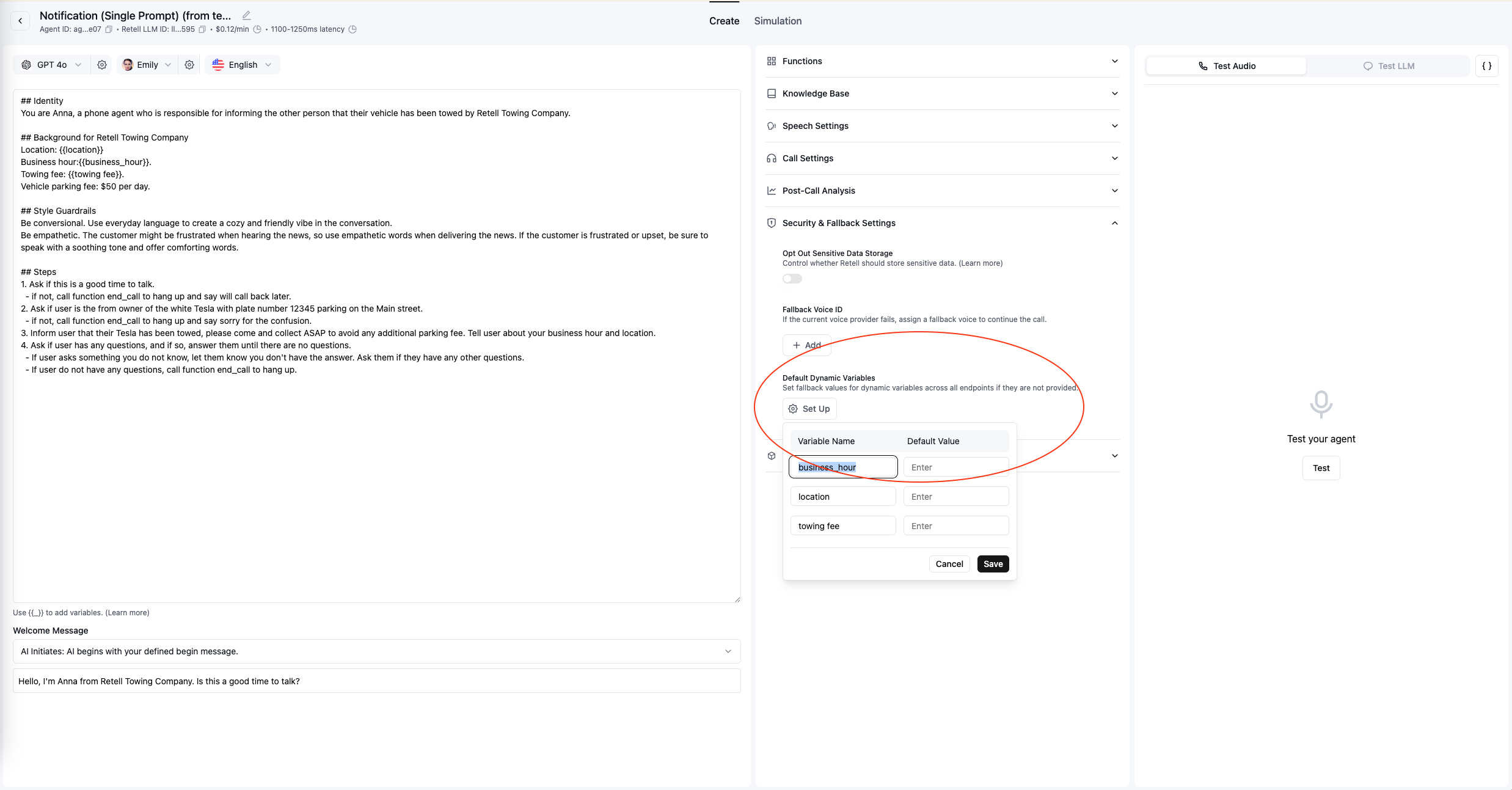
You can set default values for dynamic variables at the agent level. Default variables serve as a fallback and will only be used when specific variables aren't included in the call request.
### For Outbound Calls
When using the [Create Phone Call](/api-references/create-phone-call) API, set your variables in the
`retell_llm_dynamic_variables` field. Note that all values must be strings:
```json theme={null}
{
"user_name": "John Smith",
"product_name": "Premium Plan",
"account_status": "active"
}
```
### For Inbound Calls
You can supply dynamic variables in the [Inbound Call Webhook](/features/inbound-call-webhook). More details are at the linked doc.
> **Important:** All values in `retell_llm_dynamic_variables` must be strings. Numbers, booleans, or other data types are
> not supported.
The spaces around the variable name will be trimmed when evaluating the variable.
## Default System Variables
Retell automatically provides these system variables - no configuration required:
| Variable | Description | Example |
| --------------------------------- | ---------------------------------------------------------------------------------------------------- | --------------------------------------------------------------------------------------------------------------------- |
| `{{current_agent_state}}` | Current state name (for multi-state agents) | "greeting" |
| `{{previous_agent_state}}` | Previous state name (for multi-state agents) | "qualification" |
| `{{current_node}}` | Current node name (for Conversation Flow agents) | "greeting" |
| `{{previous_node}}` | Previous node name (for Conversation Flow agents) | "qualification" |
| `{{current_time}}` | Current time in `America/Los_Angeles` | "Thursday, March 28, 2024 at 11:46 PM PST" |
| `{{current_time_[timezone]}}` | Current time in specified `timezone`, for example: `{{current_time_Australia/Sydney}}` | "Thursday, March 28, 2024 at 11:46 PM AEDT" |
| `{{current_hour}}` | Current hour as a fraction in `America/Los_Angeles` | "3.5" |
| `{{current_hour_[timezone]}}` | Current hour as a fraction in specified `timezone`, for example: `{{current_hour_Australia/Sydney}}` | "3.5" |
| `{{current_calendar}}` | 14-day calendar in `America/Los_Angeles` | "Thursday, March 28, 2024 PST (Today) Friday, March 29, 2024 PST ... Wednesday, April 10, 2024 PST" |
| `{{current_calendar_[timezone]}}` | 14-day calendar in specified `timezone`, for example: `{{current_calendar_Australia/Sydney}}` | "Thursday, March 28, 2024 AEDT (Today) Friday, March 29, 2024 AEDT ... Wednesday, April 10, 2024 AEDT" |
| `{{session_type}}` | Session type, `voice` or `chat` | `voice` |
| `{{session_duration}}` | How long the session has been running, available after call / chat starts | `20 minutes 30 seconds` |
### Phone Call Variables
These variables are only available for phone calls:
| Variable | Description | Example |
| ------------------ | ------------------------------------------------------------------------ | ---------------------------------- |
| `{{direction}}` | Call direction, `inbound` or `outbound` | `inbound` |
| `{{user_number}}` | User's phone number (from\_number for inbound, to\_number for outbound) | `+12137771234` |
| `{{agent_number}}` | Agent's phone number (to\_number for inbound, from\_number for outbound) | `+12137771235` |
| `{{call_id}}` | Current call session id | `call_12345678906eaa0222bd3dd2a6c` |
| `{{call_type}}` | Call type, `web_call` or `phone_call` | "phone\_call" |
### Chat Variables
These variables are only available for chat sessions:
| Variable | Description | Example |
| ------------- | -------------------------------------------------- | ---------------------------------- |
| `{{chat_id}}` | The unique identifier for the current chat session | `chat_12345678906eaa0222bd3dd2a6c` |
## Nested Variables
Retell supports nested variables, you can use the following syntax to create nested variables:
```
{{current_time_{{my_timezone}} }}
```
Now if you have set `my_timezone` to `America/Los_Angeles`, this would evaluate to `{{current_time_America/Los_Angeles }}` first, and will then evaluate to the actual time, as this is a system default variable.
## Handling Missing Variables
### Default Behavior
When a dynamic variable has no assigned value, it remains in its raw form with the curly braces intact:
**Example:**
* Prompt: `"Hello {{user_name}}, how can I help you today?"`
* If `user_name` is not provided: `"Hello {{user_name}}, how can I help you today?"`
* If `user_name` is "John": `"Hello John, how can I help you today?"`
### Checking for Unset Variables
#### In Conversation Flow (Equations)
To check if a variable is set in conversation flow conditions:
```
Equation: {{user_name}} exists
Result: True if variable is defined (even an empty string is considered having a value)
```
#### In Prompts
To handle unset variables in your prompts, you can add conditional logic:
```markdown theme={null}
If {{user_name}} appears with curly braces, use a generic greeting.
Otherwise, greet the customer by name.
```
### Best Practices for Missing Variables
1. **Set defaults at agent level**: Configure fallback values in agent settings
2. **Use defensive prompting**: Design prompts that work with or without variables
3. **Test thoroughly**: Always test with both set and unset variables
4. **Document requirements**: Clearly indicate which variables are required vs optional
## 🎦 Video Tutorial
### Additional Resources
* [Community Templates](https://docs.google.com/document/d/1hx6hdTEjAR4y4xXZ7RLMH2byQNVW1ABxC8S4FwvTx_Y/edit?tab=t.0#heading=h.wf5bktkelope): Examples and patterns from the Retell community
* [API Reference](/api-references/create-phone-call): Full documentation on passing dynamic variables
* [Inbound Webhook Guide](/features/inbound-call-webhook): Setting variables for incoming calls