> ## Documentation Index
> Fetch the complete documentation index at: https://docs.retellai.com/llms.txt
> Use this file to discover all available pages before exploring further.
# Build a multi-prompt agent
> Build a Retell multi-prompt agent by breaking the conversation into prompted states with explicit transitions between them — like a lead qualification flow.
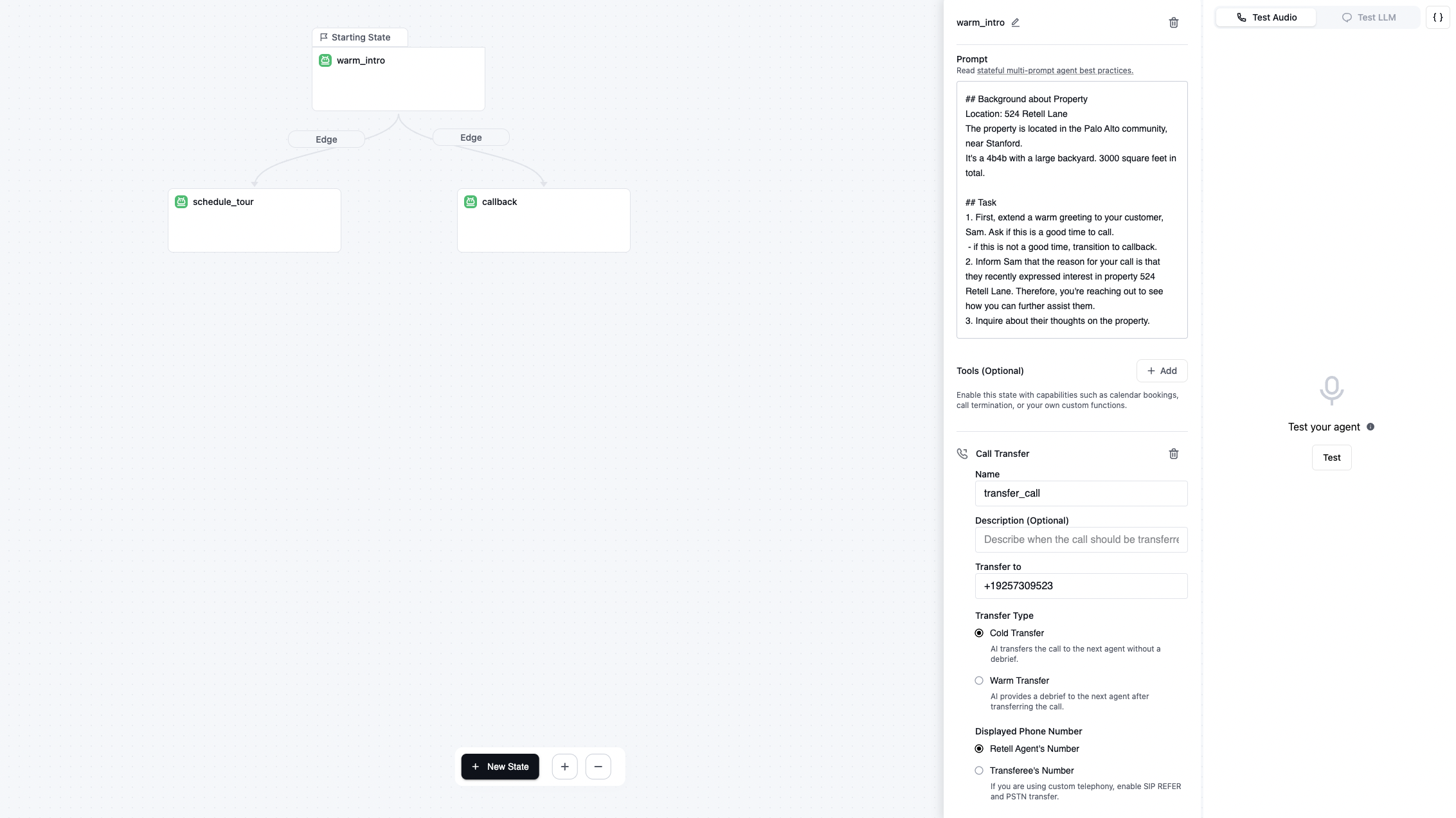
In each step, you can define a prompt.
Just like in the "Lead qualification" template, you can have this prompt to define when to transition to the next step like if users say "yes" to the question, transition to `your_next_state` state.
```
7. Ask if user is interested in an in person tour.
- if yes, transition to schedule_tour.
- if no or hesitant, call function end_call to hang up politely and say will reach out if any other interesting properties pop up.
```
Just like in the "Lead qualification" template, you can have this prompt to define when to call the function like call the `your_function_name` function to book the appointment.
```
3. Confirm the date, time, and timezone selected by user: "Just to confirm, you want to book the appointment at ...". Make sure this is a time from the available slots.
4. Once confirmed, call function book_appointment to book the appointment.
```
### Video tutorial
See community templates in [docs](https://docs.google.com/document/d/1hx6hdTEjAR4y4xXZ7RLMH2byQNVW1ABxC8S4FwvTx_Y/edit?tab=t.0#heading=h.wf5bktkelope)