> ## Documentation Index
> Fetch the complete documentation index at: https://docs.retellai.com/llms.txt
> Use this file to discover all available pages before exploring further.
# Handle application rejection
> Resolve rejected business profile, verified phone, and branded call applications on Retell — check rejection reasons in the dashboard and resubmit.
We will review your business profile, phone verification, or branded call application. If the application is rejected for any reason, you will receive an email notification.
 Go to your phone detail page where you'll see your "Verified Phone Number" or "Branded Call" showing a "Rejected" status.
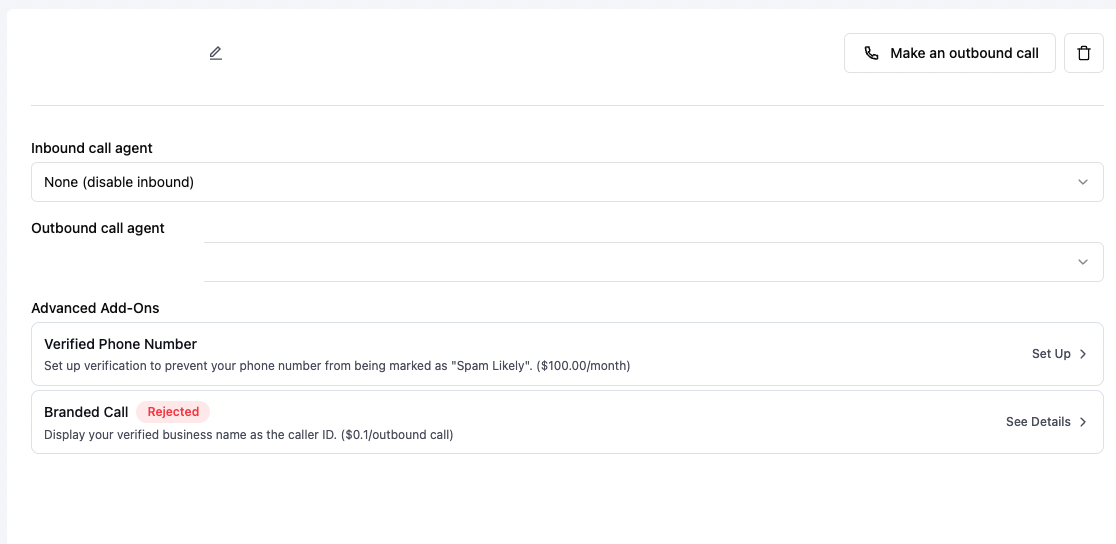 Click to view the detailed reason for rejection.
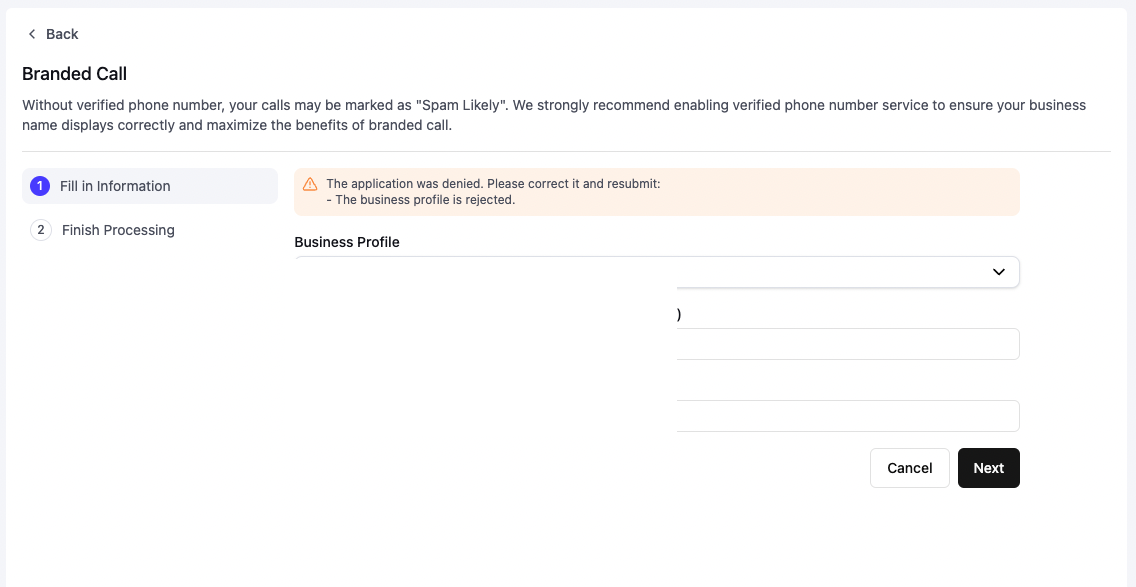 If your business profile was rejected, click on the business profile details to understand why.
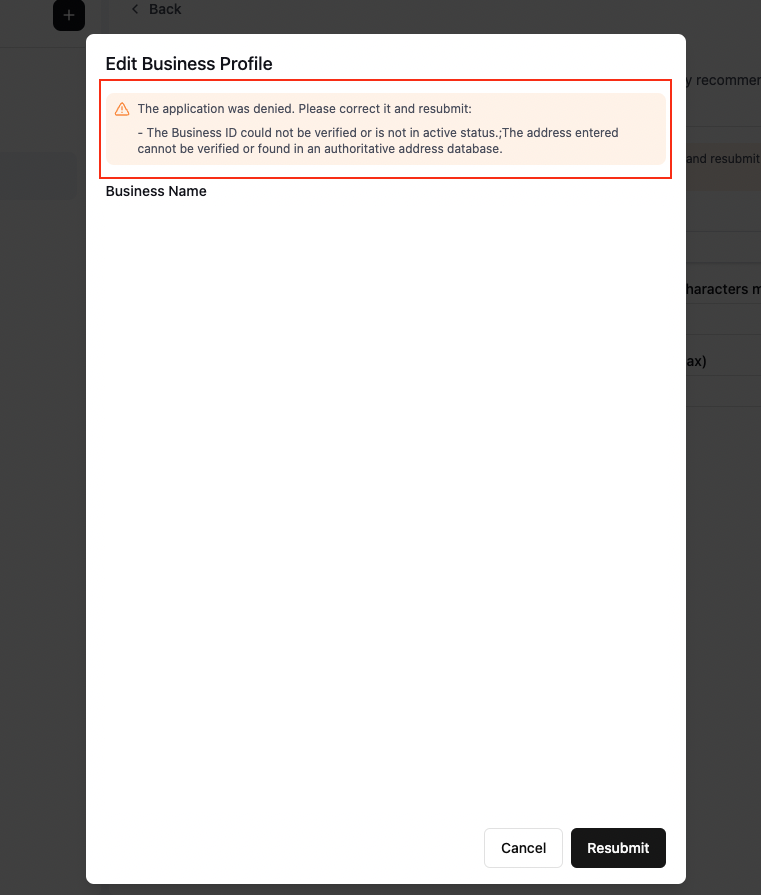 After addressing the rejection reasons, you can resubmit your application through the dashboard.