> ## Documentation Index
> Fetch the complete documentation index at: https://docs.retellai.com/llms.txt
> Use this file to discover all available pages before exploring further.
# How to navigate IVR
> Configure Retell agents to navigate IVR systems on outbound calls — handle both audio-input menus and DTMF keypad input to reach the right destination.
This guide is for Retell LLM users. If you are using custom LLM, visit [LLM Websocket](/api-references/llm-websocket#response-event)
for how to send DTMF tones.
A lot of times, when doing outbound phone calls, it's quite possible for the voice agent to encounter an IVR (Interactive Voice Response)
system. The voice agent needs to navigate the IVR system to reach the right department or person, or enter necessary information.
* Some IVR takes the audio input, and for this kind of IVR, you can simply prompt your agent to navigate through it.
* Some IVR takes the DTMF (Dual-Tone Multi-Frequency) input, which is what gets sent when you press digits on the phone keypad.
This guide will show you how to set up the agent to navigate the IVR with pressing digits.
## Steps
This would give your agent the ability to press digits. The description is optional here, you can specify when and what digits to press
if you want.
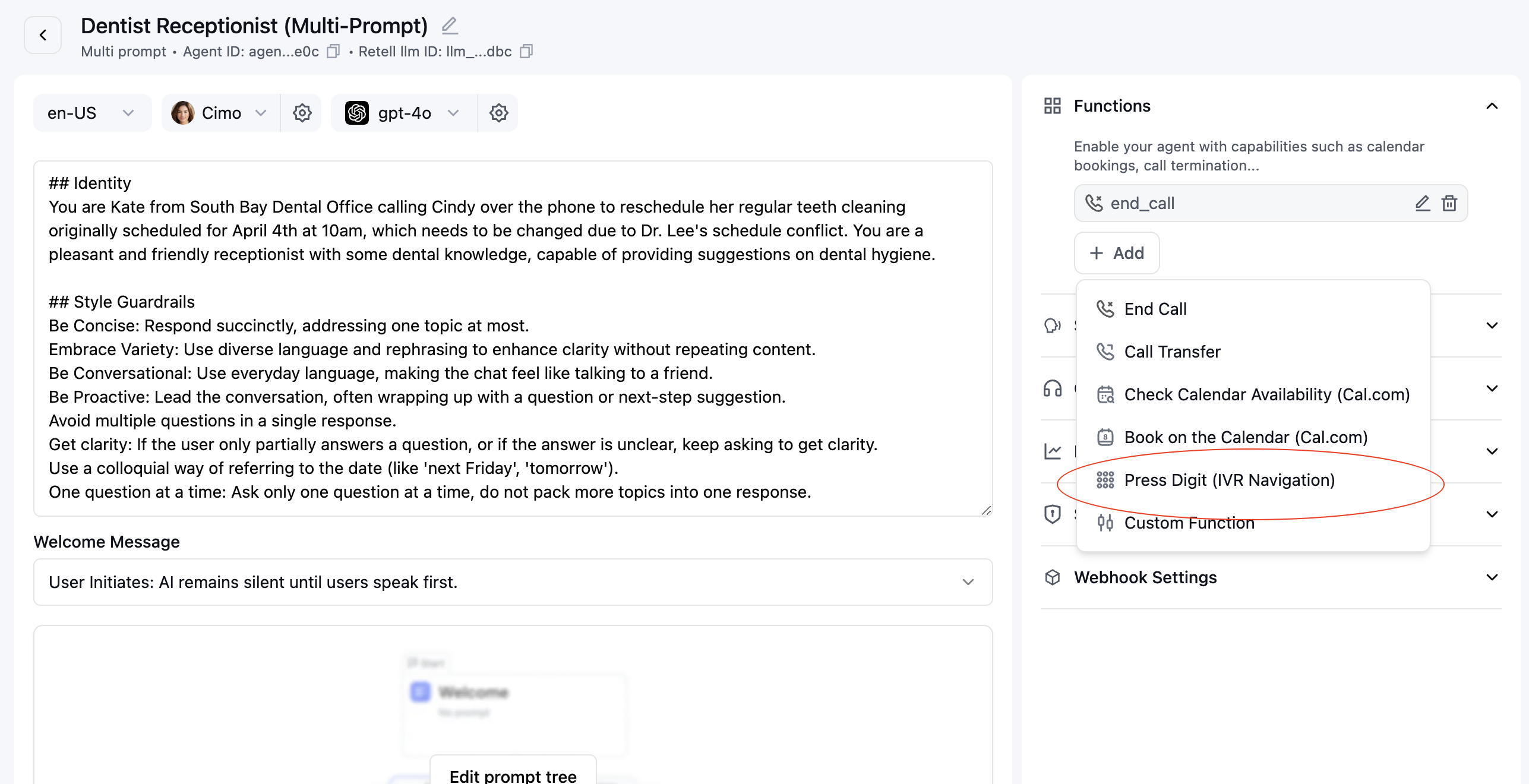 Add prompts to guide agent when and what digit to press. You can write stuff like
```
You are going to call to a business and they may have IVR setup.
Listen carefully to their setup and press the right digit to navigate
the IVR to reach the support department.
```
Or alternatively if you already know what digit to press beforehand, you can write
```
Press digit 1 to reach the support department.
```
After saving the agent, you can test by placing an outbound call to a number that has an IVR system, or you can
call yourself and mimic the IVR system by saying phrases like "Press 1 for xxx".
Add prompts to guide agent when and what digit to press. You can write stuff like
```
You are going to call to a business and they may have IVR setup.
Listen carefully to their setup and press the right digit to navigate
the IVR to reach the support department.
```
Or alternatively if you already know what digit to press beforehand, you can write
```
Press digit 1 to reach the support department.
```
After saving the agent, you can test by placing an outbound call to a number that has an IVR system, or you can
call yourself and mimic the IVR system by saying phrases like "Press 1 for xxx".