> ## Documentation Index
> Fetch the complete documentation index at: https://docs.retellai.com/llms.txt
> Use this file to discover all available pages before exploring further.
# Choose a custom voice
> Add custom voices to your Retell agent — search ElevenLabs community voices, import a voice clone, or train a clone for a unique brand-specific sound.
If you find the existing voice doesn't meet your needs, you can add a custom voice. There's a limit of 100 custom voices per account. If you need more, please contact [support@retellai.com](mailto:support@retellai.com)
## Add Custom Voice
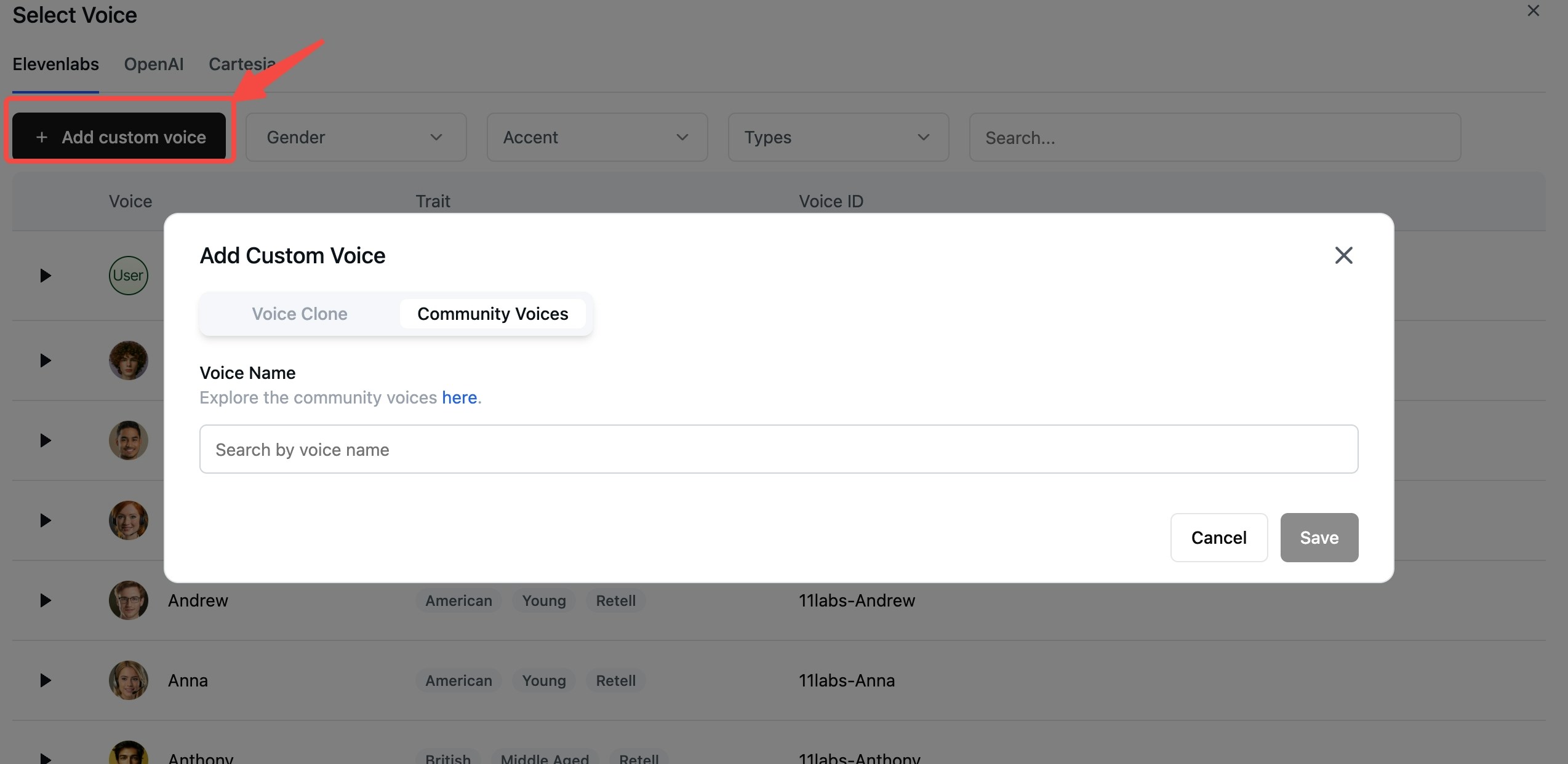
In the voice selector, you can click "Add custom voice" to search and add publicly available community voices.
 ## Add Voice Clone
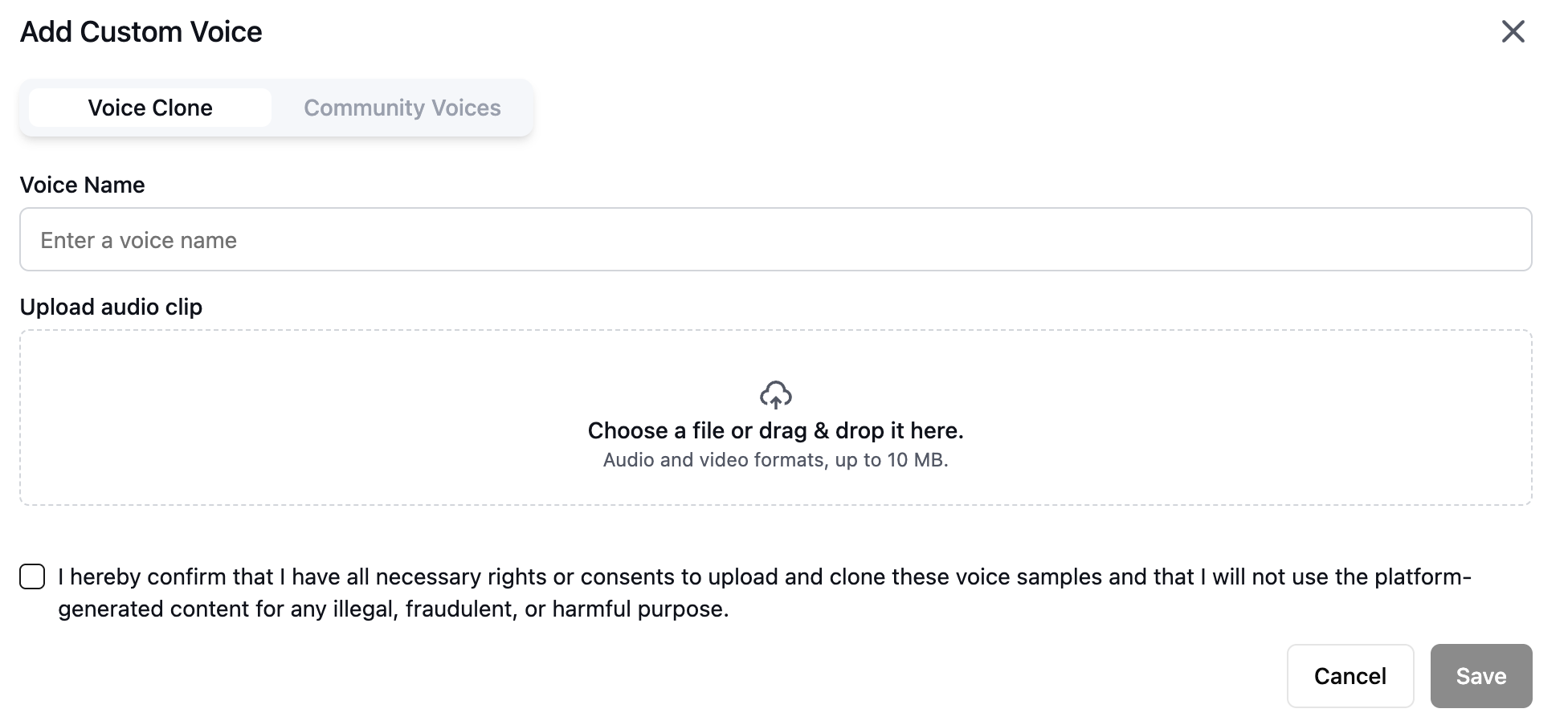
You can also add a voice clone by clicking "Add custom voice" in the voice selector.
Open the voice selector and click "Add custom voice".
## Add Voice Clone
You can also add a voice clone by clicking "Add custom voice" in the voice selector.
Open the voice selector and click "Add custom voice".
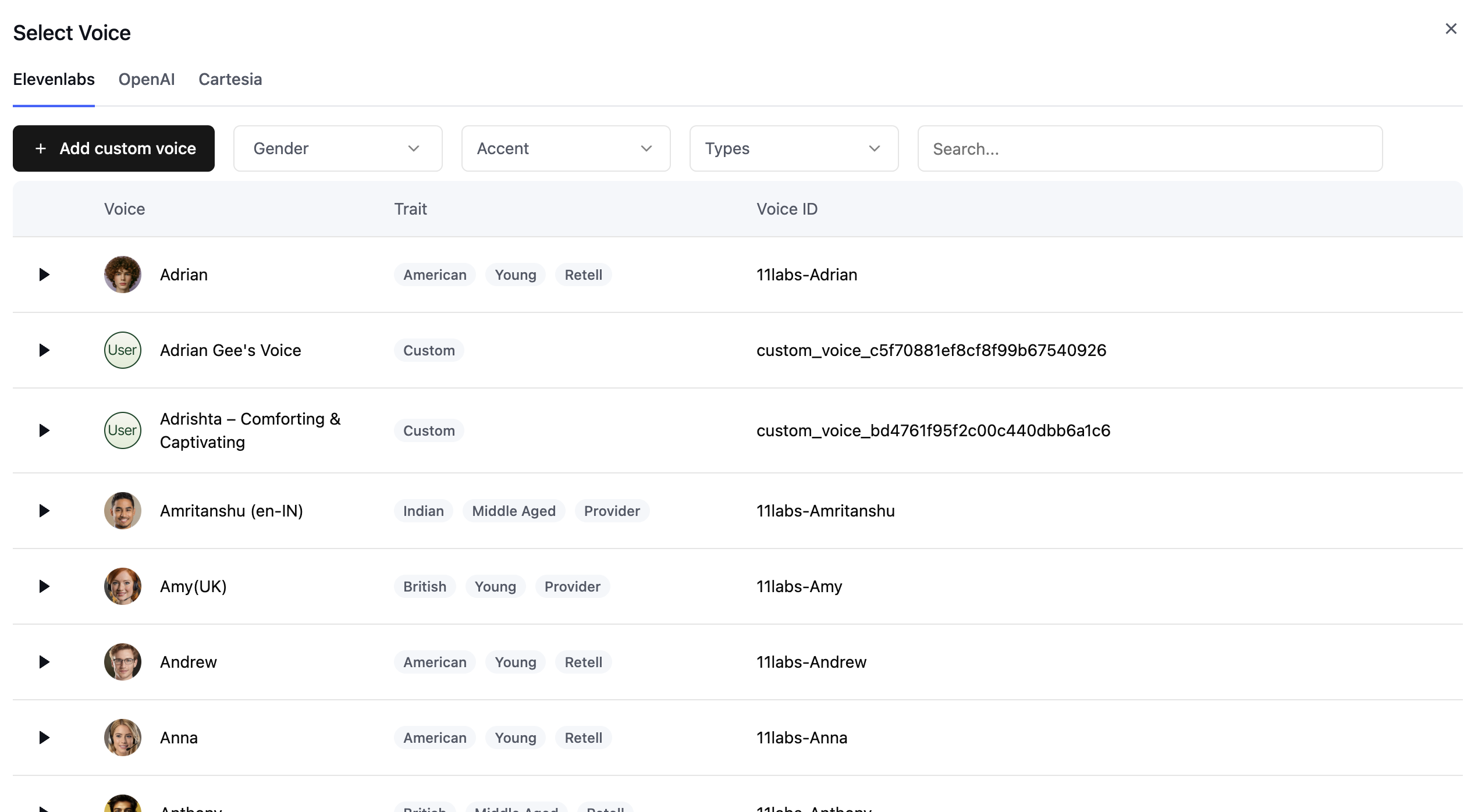 Upload your voice recordings to train the voice clone.