> ## Documentation Index
> Fetch the complete documentation index at: https://docs.retellai.com/llms.txt
> Use this file to discover all available pages before exploring further.
# Meet Conductor
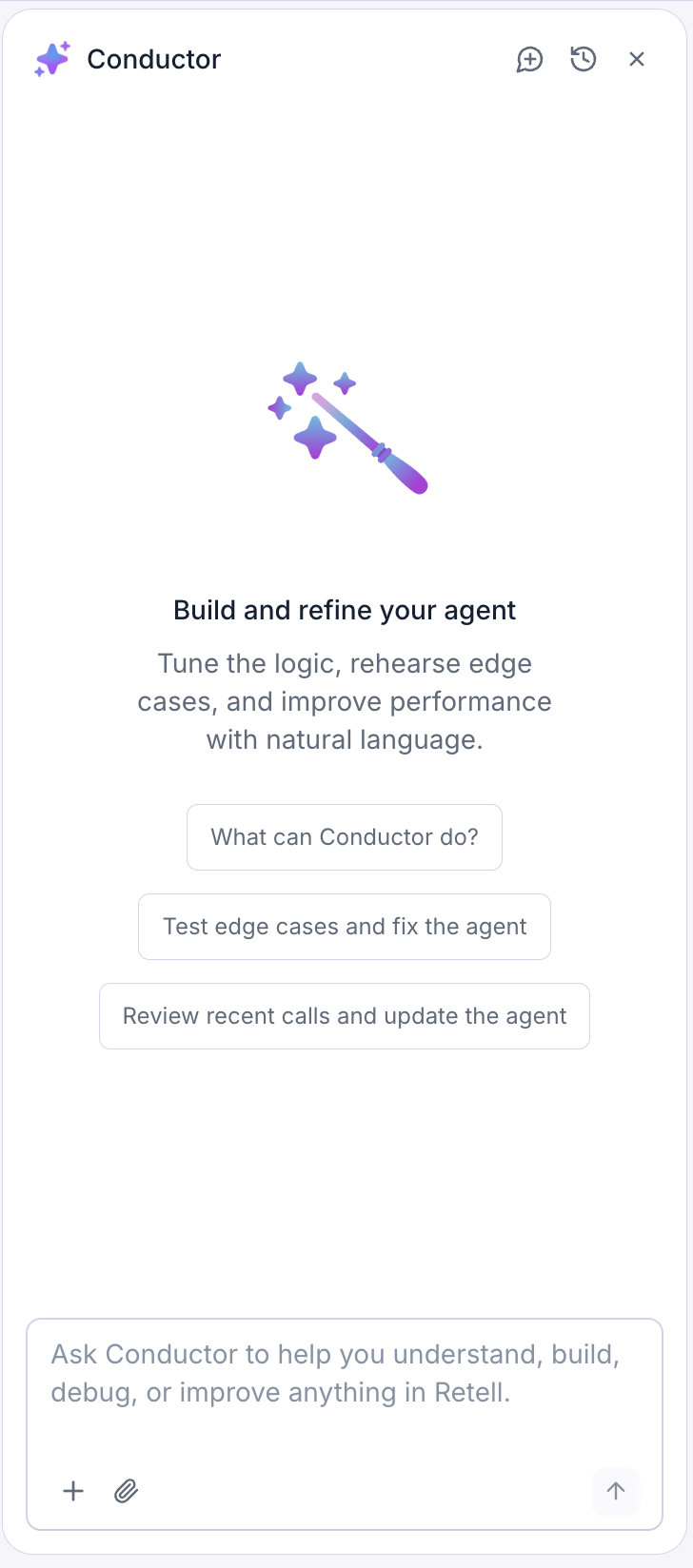
> Conductor is the built-in AI assistant that helps you build, refine, and test your Retell agent in plain English — proposing changes for you to approve.
Conductor is your AI teammate inside the agent builder. Instead of clicking through every setting yourself, you can describe what you want in plain English — and Conductor helps you build it, refine it, and test it.
 ## What you can do with Conductor
* **Build and edit your agent by chatting** — "Add a step that asks for the caller's email," or "Make the greeting warmer."
* **Give it context** — point Conductor at a conversation step, a past call, a test case, or a file so its suggestions fit your agent.
* **Review recent calls** — ask Conductor to look at real calls and suggest fixes.
* **Test edge cases** — have Conductor run simulations and help you handle tricky situations.
## The golden rule: you're always in control
Conductor never changes your agent on its own. When it suggests an update, it shows you exactly what will change — with a [before-and-after view right on the affected setting](/conductor/review-changes#see-exactly-whats-changing) — and **you decide** whether to accept or reject it. Nothing is applied until you approve it.
Conductor works on the agent you currently have open. Its suggestions always apply to that agent.
## How to open Conductor
1. Open any agent from the **Agents** page.
2. Click the **Conductor** (sparkle) icon in the top-right of the agent builder.
3. The Conductor panel opens beside your agent. You can drag its edge to make it wider or narrower.
## What you can do with Conductor
* **Build and edit your agent by chatting** — "Add a step that asks for the caller's email," or "Make the greeting warmer."
* **Give it context** — point Conductor at a conversation step, a past call, a test case, or a file so its suggestions fit your agent.
* **Review recent calls** — ask Conductor to look at real calls and suggest fixes.
* **Test edge cases** — have Conductor run simulations and help you handle tricky situations.
## The golden rule: you're always in control
Conductor never changes your agent on its own. When it suggests an update, it shows you exactly what will change — with a [before-and-after view right on the affected setting](/conductor/review-changes#see-exactly-whats-changing) — and **you decide** whether to accept or reject it. Nothing is applied until you approve it.
Conductor works on the agent you currently have open. Its suggestions always apply to that agent.
## How to open Conductor
1. Open any agent from the **Agents** page.
2. Click the **Conductor** (sparkle) icon in the top-right of the agent builder.
3. The Conductor panel opens beside your agent. You can drag its edge to make it wider or narrower.
 Click the sparkle icon again (or the close button) to hide the panel. Your conversation stays put while you keep working.
## Usage limits
Conductor comes with a free daily allowance of messages. Each person can send up to **30 messages per day**, and everyone in your organization shares a combined pool of **200 messages per day**. Both allowances reset every day at midnight Pacific Time.
If you run out, Conductor lets you know and shows when your allowance resets — you can pick right back up then.
Depending on your organization's plan, your admin can allow Conductor to keep working past the free daily allowance. Any usage beyond the free allowance may be billed to your organization.
## Where to go next
Send your first message and start shaping your agent.
Attach calls, steps, test cases, and files for better suggestions.
Understand and approve the changes Conductor proposes.
Review real calls and run simulations with Conductor.
Track your daily free messages and turn on pay-as-you-go.
Click the sparkle icon again (or the close button) to hide the panel. Your conversation stays put while you keep working.
## Usage limits
Conductor comes with a free daily allowance of messages. Each person can send up to **30 messages per day**, and everyone in your organization shares a combined pool of **200 messages per day**. Both allowances reset every day at midnight Pacific Time.
If you run out, Conductor lets you know and shows when your allowance resets — you can pick right back up then.
Depending on your organization's plan, your admin can allow Conductor to keep working past the free daily allowance. Any usage beyond the free allowance may be billed to your organization.
## Where to go next
Send your first message and start shaping your agent.
Attach calls, steps, test cases, and files for better suggestions.
Understand and approve the changes Conductor proposes.
Review real calls and run simulations with Conductor.
Track your daily free messages and turn on pay-as-you-go.