> ## Documentation Index
> Fetch the complete documentation index at: https://docs.retellai.com/llms.txt
> Use this file to discover all available pages before exploring further.
# Test & improve with Conductor
> Use Conductor to review real calls, run simulations, and handle edge cases — so you can find problems and improve your Retell agent with confidence.
Building your agent is only half the job — you also want to know it works. Conductor can help you spot problems from real calls and rehearse tricky situations before your customers run into them.
## Review recent calls and suggest fixes
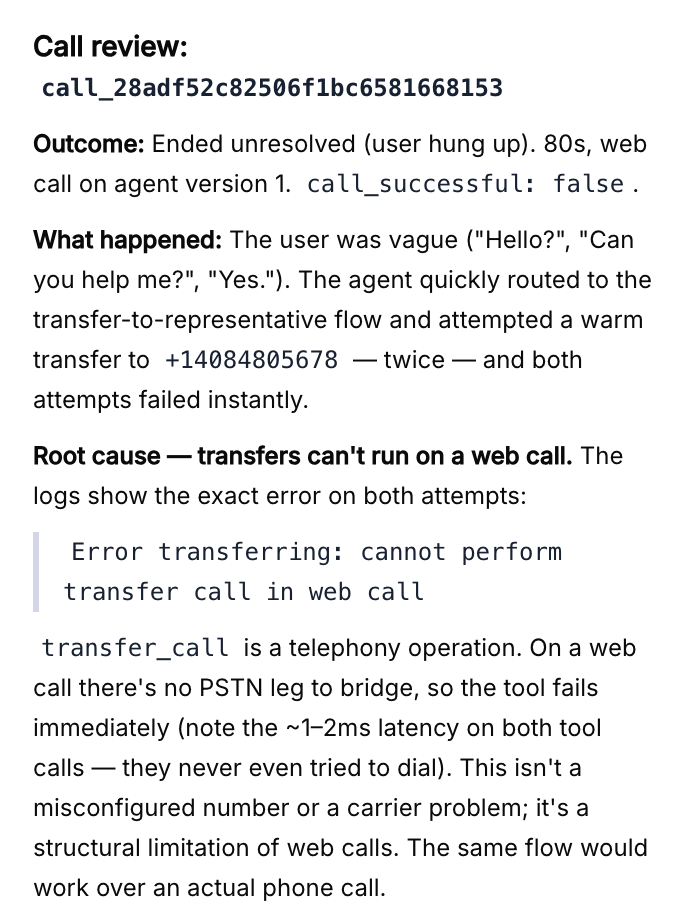
Ask Conductor to look at your real calls and recommend improvements:
* "Review my recent calls and suggest fixes."
* "Look at calls where the caller hung up early and tell me what went wrong."
For the most precise help, [attach a specific call](/conductor/add-context) to your message. Conductor can read what happened in that conversation and suggest targeted changes — which it will then propose for [your review](/conductor/review-changes).
 ## Test and refine edge cases
Edge cases are the unusual situations that trip agents up — an angry caller, a wrong number, someone who changes their mind. Ask Conductor to help you handle them:
* "What edge cases should I worry about for this agent?"
* "Make sure the agent handles a caller who refuses to give their name."
## Run simulations
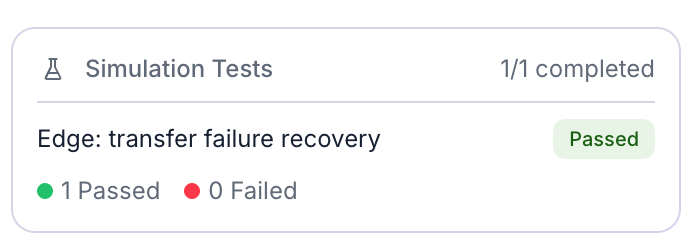
Conductor can run **simulation tests** that play out a scenario against your agent and show how it responds. This lets you check changes without making real phone calls.
* "Run a simulation where the caller wants to reschedule an appointment."
* Attach a saved test case and say "Run this and tell me if it passes."
When a simulation finishes, Conductor shows the result so you can see how your agent behaved and decide what to refine next.
## Test and refine edge cases
Edge cases are the unusual situations that trip agents up — an angry caller, a wrong number, someone who changes their mind. Ask Conductor to help you handle them:
* "What edge cases should I worry about for this agent?"
* "Make sure the agent handles a caller who refuses to give their name."
## Run simulations
Conductor can run **simulation tests** that play out a scenario against your agent and show how it responds. This lets you check changes without making real phone calls.
* "Run a simulation where the caller wants to reschedule an appointment."
* Attach a saved test case and say "Run this and tell me if it passes."
When a simulation finishes, Conductor shows the result so you can see how your agent behaved and decide what to refine next.
 ## A good loop to follow
Ask Conductor to build or adjust something, then [accept the proposal](/conductor/review-changes).
Run a simulation or review a relevant call to see how the change behaves.
Tell Conductor what to improve, and repeat until you're happy.
Want a deeper dive into testing on its own? See the [testing guides](/test/test-overview) for the LLM Playground, simulation testing, and audio testing.
## A good loop to follow
Ask Conductor to build or adjust something, then [accept the proposal](/conductor/review-changes).
Run a simulation or review a relevant call to see how the change behaves.
Tell Conductor what to improve, and repeat until you're happy.
Want a deeper dive into testing on its own? See the [testing guides](/test/test-overview) for the LLM Playground, simulation testing, and audio testing.