> ## Documentation Index
> Fetch the complete documentation index at: https://docs.retellai.com/llms.txt
> Use this file to discover all available pages before exploring further.
# Monitor sessions via dashboard
> Browse Retell session history in the dashboard — filter calls and chats by status, agent, date, and disconnection reason to investigate and audit usage.
The Session History dashboard provides a comprehensive view of all your calls and their statuses. To access it:
1. Navigate to the dashboard
2. Select the "Call History" or "Chat History" tab
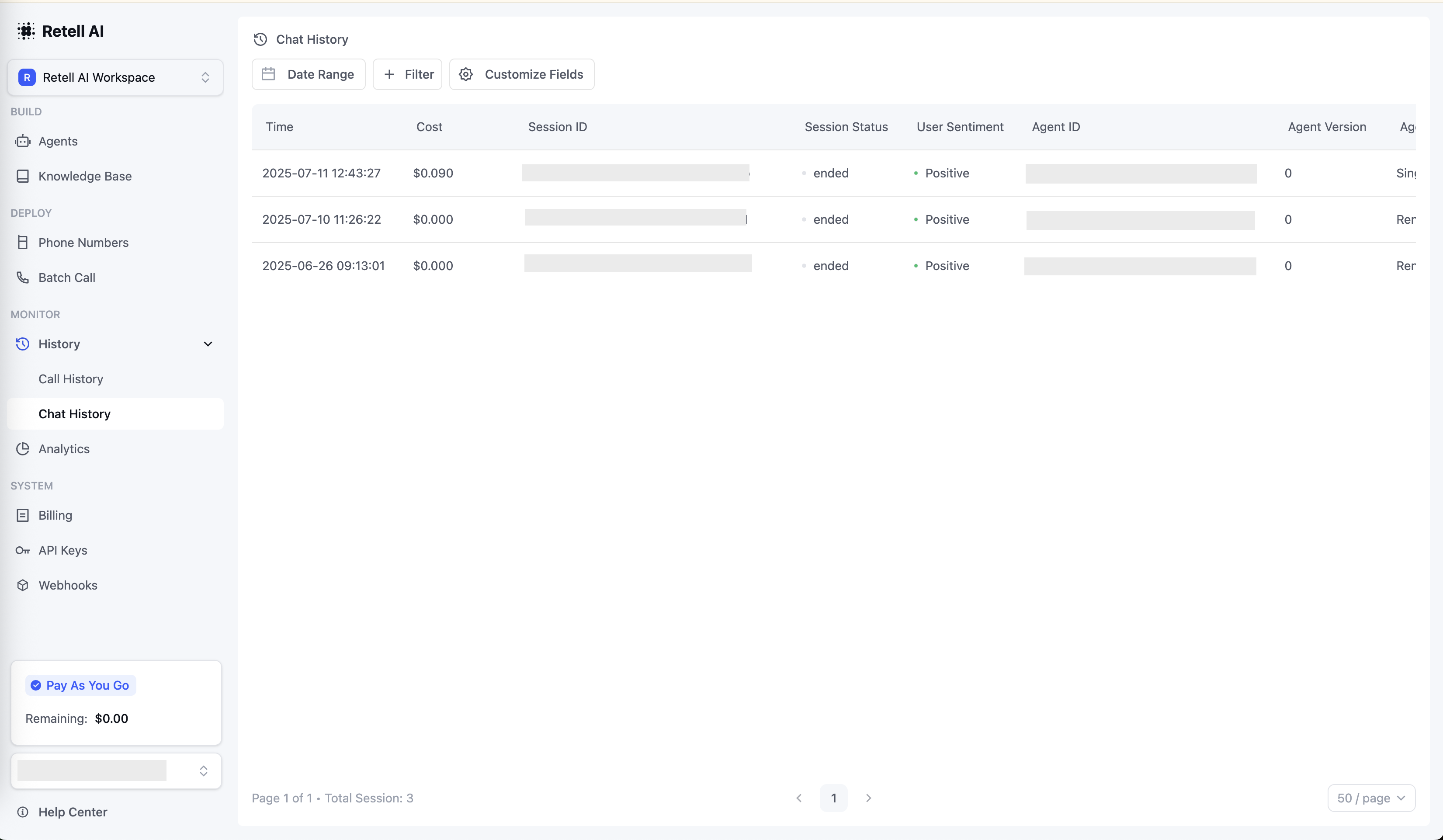 ### Filter sessions
The dashboard offers powerful filtering capabilities to help you analyze your call and chat sessions.
When investigating issues, filtering for unsuccessful sessions can help identify patterns in failure reasons and troubleshoot problems more effectively.
### Customize columns
Personalize your view of the history table:
1. Click the "Customize Field" button in the top-right corner
2. Select or deselect columns to show/hide
## FAQ
**We store session history and recordings indefinitely.** However, all session history and recordings will be permanently deleted if you choose to [delete your account](https://docs.retellai.com/accounts/account#delete-your-account).
Call recordings are delivered as **WAV** audio files hosted on Retell's S3 bucket. After a call ends, you can retrieve them from the call object's recording fields:
* `recording_url` — single-channel mixed recording of the call.
* `recording_multi_channel_url` — same recording with each party's audio on a separate channel (useful for diarization and downstream analysis).
* `scrubbed_recording_url` and `scrubbed_recording_multi_channel_url` — PII-redacted versions (PII intervals are replaced with a beep). Available when [PII scrubbing](/accounts/privacy-disable) is enabled.
If your account has [Opt-Out of Personal and Sensitive Data Storage](/features/webhook-overview#privacy) enabled, the `recording_url` link is only valid for 10 minutes after the call ends — download or persist the file within that window.
### Filter sessions
The dashboard offers powerful filtering capabilities to help you analyze your call and chat sessions.
When investigating issues, filtering for unsuccessful sessions can help identify patterns in failure reasons and troubleshoot problems more effectively.
### Customize columns
Personalize your view of the history table:
1. Click the "Customize Field" button in the top-right corner
2. Select or deselect columns to show/hide
## FAQ
**We store session history and recordings indefinitely.** However, all session history and recordings will be permanently deleted if you choose to [delete your account](https://docs.retellai.com/accounts/account#delete-your-account).
Call recordings are delivered as **WAV** audio files hosted on Retell's S3 bucket. After a call ends, you can retrieve them from the call object's recording fields:
* `recording_url` — single-channel mixed recording of the call.
* `recording_multi_channel_url` — same recording with each party's audio on a separate channel (useful for diarization and downstream analysis).
* `scrubbed_recording_url` and `scrubbed_recording_multi_channel_url` — PII-redacted versions (PII intervals are replaced with a beep). Available when [PII scrubbing](/accounts/privacy-disable) is enabled.
If your account has [Opt-Out of Personal and Sensitive Data Storage](/features/webhook-overview#privacy) enabled, the `recording_url` link is only valid for 10 minutes after the call ends — download or persist the file within that window.