> ## Documentation Index
> Fetch the complete documentation index at: https://docs.retellai.com/llms.txt
> Use this file to discover all available pages before exploring further.
# Connect Zoho CRM
> Connect Zoho CRM to Retell AI with one OAuth sign-in: Retell detects your Zoho data center, then syncs contacts and runs agent tools on your records.
Connecting Zoho CRM takes one sign-in and nothing else: authorize Retell in Zoho, and it works out your data center and API domain on its own. One connection covers both [contact sync](/integrations/zoho-contact-sync) and [agent functions](/integrations/zoho-functions), so your agents work your Contacts, Deals, Tasks, Notes, and Calls live while Retell keeps the records current.
## When to use it
Connect Zoho CRM when it's your system of record and you want your agents working from it without anyone copying data between tools. It's the right choice when you want to:
* **Call or text people who already exist in Zoho.** Contacts sync into Retell automatically, so your agent greets callers by name and knows their details instead of asking.
* **Keep Zoho current without manual data entry.** Analysis results from each conversation write back to fields on the Contact record.
* **Give your team call history where they already work.** Each call lands on the Contact's timeline as a Call record; each chat lands as a completed Task.
Your agents can also look up Contacts and their Deals, and create Tasks, Notes, and Calls, through [integration tools](/integrations/zoho-functions#available-tools).
For example, an insurance brokerage syncs its Zoho Contacts into Retell. Its renewal agent greets each policyholder by name, reads the Deals open on their record, books the callback they ask for as a Zoho Task, and the call lands on the contact's timeline as a Call record.
## Prerequisites
* A Zoho CRM account on a [data center Retell supports](#which-zoho-data-center-does-retell-use).
* A Zoho user whose profile holds **View**, **Create**, and **Edit** on **Contacts**, **Deals**, **Tasks**, **Notes**, and **Calls**, and can read field definitions in Setup.
* Retell acts as whoever authorizes the connection, so every record it creates is owned by that user. Use a dedicated integration user rather than a person's account, so the connection doesn't break when someone changes roles or leaves.
You don't need to register a client in the Zoho API console. Retell authorizes with its own Zoho client, so there's no client ID or secret to create, copy, or rotate.
## Connect Zoho CRM in Retell
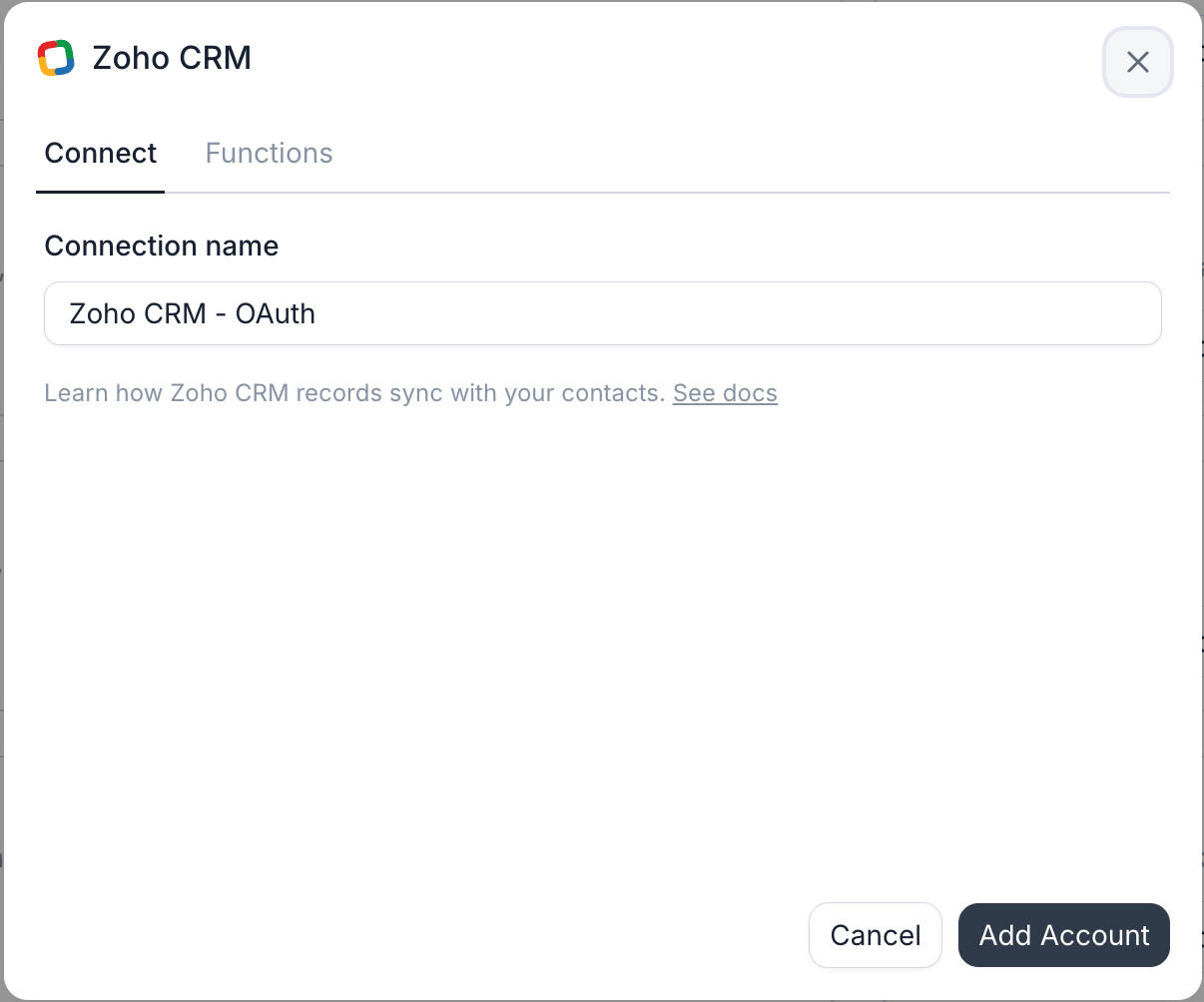
In the Retell Dashboard, open **Integrations**, select the **Available** tab, find **Zoho CRM**, and click **Connect** (**Add Account** if a connection already exists). The dialog asks for one thing, a **Connection name**, prefilled with `Zoho CRM - OAuth`. There's no URL or region to enter, so the form is ready to submit as soon as it opens.
Click **Add Account**. A Zoho sign-in window opens: sign in with the integration user, pick the Zoho org if you belong to more than one, and accept the [access Retell asks for](#what-access-does-retell-ask-for). Retell stores a refresh token, so nobody has to sign in again.
Zoho's consent screen is where the data center is decided. Sign in as a user of the org whose records you want your agents working on: Zoho routes the sign-in to that user's home data center, and Retell binds the connection to it.
Retell tests the connection by reading the Contacts module's field definitions as the authorizing user. On success the connection appears on the **Connected** tab and the dialog offers **Set up contact sync** — see [Zoho contact sync](/integrations/zoho-contact-sync) to import your Contacts, or start using [agent functions](/integrations/zoho-functions) right away.
## What access does Retell ask for?
Zoho's consent screen lists three scopes:
| Scope | What it covers |
| ------------------------------ | ---------------------------------------------------------------------------------------------------------------------------------------------------------- |
| `ZohoCRM.modules.ALL` | Read and write records across your CRM modules. It's a group scope, so Zoho grants it broadly; Retell uses it for Contacts, Deals, Tasks, Notes, and Calls |
| `ZohoCRM.settings.fields.READ` | Read each module's field definitions, which populate the field pickers when you configure a tool or a sync mapping |
| `ZohoSearch.securesearch.READ` | Zoho's search service, which the Search Records API requires on top of the module scope. It's what backs finding a Contact by phone number |
Granting a scope isn't the same as having the permission. The authorizing user's Zoho profile still decides which modules and fields they can touch, through its **View**, **Create**, **Edit**, and **Delete** permissions, and a profile restriction is narrower than the scope. A restriction doesn't flag the connection either, because Zoho answers with a permission error rather than rejecting the token, so that one tool or field quietly stops working.
## Which Zoho data center does Retell use?
The one your Zoho account is homed in. Zoho keeps each account in a single data center and serves its API from a matching domain, and Retell picks that up during the sign-in rather than asking you: consent starts at `accounts.zoho.com`, Zoho routes the user to their own data center, and the callback names it. Retell then stores that data center's API domain on the connection and uses it for every later API call and token refresh.
| Data center | Accounts server | API domain |
| ------------- | ----------------------- | --------------------- |
| United States | `accounts.zoho.com` | `www.zohoapis.com` |
| Europe | `accounts.zoho.eu` | `www.zohoapis.eu` |
| India | `accounts.zoho.in` | `www.zohoapis.in` |
| Australia | `accounts.zoho.com.au` | `www.zohoapis.com.au` |
| Japan | `accounts.zoho.jp` | `www.zohoapis.jp` |
| Saudi Arabia | `accounts.zoho.sa` | `www.zohoapis.sa` |
| Canada | `accounts.zohocloud.ca` | `www.zohoapis.ca` |
| China | `accounts.zoho.com.cn` | `www.zohoapis.com.cn` |
Retell calls Zoho CRM's v8 REST API on that domain (as of August 2026).
## Troubleshooting
Zoho reports a declined or cancelled consent back as an error, and Retell leaves the connection unmade. Start again from the **Available** tab and click **Accept** on the consent screen. Retell asks Zoho for a fresh consent on every connect, so an approval you gave earlier never silently skips the screen.
The test reads the Contacts module's field definitions. It fails when the authorizing user's profile can't see Contacts or its field setup, or when the user belongs to a different Zoho org than the records you expect. Confirm the user can open Contacts in Zoho CRM, then reconnect as a user with the right profile.
Retell flags a connection as errored when Zoho rejects the stored refresh token. That usually means the token was revoked under **Connected Apps**, or the authorizing user was deactivated or removed from the org. Open the connection's settings and click **Reconnect** to authorize again with a working user.
That's a Zoho profile permission, not the connection. Zoho answers a blocked module or field with a permission error, which leaves the connection reading as healthy. Check the authorizing user's profile permissions for the module the tool writes to, or for the specific field that isn't syncing.
## FAQ
The user who authorized the connection. That's why a dedicated integration user is worth setting up: the record owner and the contact's timeline then read "Retell integration" rather than a teammate's name.
Yes, add one connection per org, authorizing each as a user of that org. Only one CRM connection in your workspace can drive [contact sync](/integrations/zoho-contact-sync) at a time, across every provider — the **Contact sync** toggle in a connection's settings decides which one. Integration tools work on every connection.
No. Retell authorizes with its own registered Zoho client, so the whole setup is the consent screen. Nothing to create in the Zoho API console, and no client secret to rotate on your side.
Not today (as of August 2026). Contact sync and the agent tools work on the standard Contacts, Deals, Tasks, Notes, and Calls modules. Custom *fields* on those modules are fully supported — they show up in the field pickers alongside the standard ones.
## Next steps
Import your Zoho Contacts, write analysis results back, and log calls on the contact's timeline.
Look up callers, read their Deals, and create Tasks, Notes, and Calls mid-conversation.
See every provider Retell connects to and how integration tools work.
How contact sync, analysis mapping, and activity logging work across CRM providers.