> ## Documentation Index
> Fetch the complete documentation index at: https://docs.retellai.com/llms.txt
> Use this file to discover all available pages before exploring further.
# Troubleshoot high latency
> Reduce high Retell end-to-end latency — pick a faster LLM, shorten your prompt, enable fast tier, and diagnose slow LLM, ASR, and TTS components per call.
If your agent is slow to respond, work through this guide top to bottom. Across agents, the two most common causes of high latency are **LLM model choice** and **prompt length**, so those are listed first — but the dominant factor varies from one agent to the next, and these aren't always the culprit. Before concluding what's slow for a *specific* agent, confirm it against that agent's per-call [latency breakdown](/reliability/check-actual-latency) rather than assuming.
## Start with the biggest levers
These three changes resolve most latency issues. They tend to have the highest impact, but confirm which one actually applies to your agent using the per-call breakdown before acting — not every agent is bottlenecked by the same thing.
Model choice is often one of the largest factors in LLM response time, though how much it matters depends on the agent — verify against the call's LLM latency before assuming the model is the bottleneck.
* **Smaller models respond faster.** If your use case can tolerate slightly less reasoning, switching to a smaller model noticeably reduces latency.
* **Larger, reasoning-oriented models** are slower to first token — they trade latency for capability.
* Latency also varies between providers for models of a similar size, so if you've already trimmed model size and prompt and still see high LLM latency, trying a comparable model from a different provider can help.
Switching models changes your agent's behavior, not just its speed. Re-test your prompt and flows after switching — treat it as a deliberate change, not a one-click toggle.
Every token in your prompt adds to the time-to-first-token, and that cost is paid on **every turn** of the conversation.
* Keep system prompts tight and focused on the current task.
* Move rarely-needed detail into the [knowledge base](/build/knowledge-base) or into tool descriptions rather than the main prompt.
* [Agent Handbook](/build/agent-handbook) presets also add tokens to every interaction (the estimated count is shown on hover). Turn off any preset you don't need.
* Prompts beyond roughly **8k tokens** become noticeably slower. If you are well above that, trimming the prompt is one of the easiest wins available.
[Fast tier](/build/llm-options#fast-tier-premium-performance) routes your LLM calls through dedicated, high-priority infrastructure, reducing both average response time and call-to-call variance.
Fast tier costs more than the standard model rate, so weigh it against your use case — but it is one of the most reliable ways to tighten an inconsistent response time.
## Diagnose by component
If the levers above don't resolve it, use the per-call [latency breakdown](/reliability/check-actual-latency) to find which component dominates, then target that component.
### High LLM latency
If LLM latency dominates your end-to-end time and is suddenly worse than usual, your provider may be under transient heavy load.
1. Check the [Status Page](https://status.retellai.com/) for ongoing incidents.
2. If there is an active incident, wait for it to resolve.
3. Otherwise, revisit [model choice and prompt length](#start-with-the-biggest-levers) above — a consistently high LLM latency usually points to one of those.
### High ASR (transcription) latency
After you stop speaking, Retell waits a short silence window — called **endpointing** — to confirm you've actually finished before it responds. A longer endpointing setting waits for more context and produces more accurate transcripts, but it adds directly to perceived latency.
1. If you're using the accuracy-optimized [transcription mode](/build/transcription-mode), note that it intentionally waits longer (about **200ms** more) than the speed-optimized mode. Switch to the speed setting if responsiveness matters more than transcript precision.
2. Turn off **Boosted Keywords** if enabled, as it can add transcription latency.
### High TTS latency
The voice provider you choose affects how quickly the first audio byte is produced.
1. Some voice settings — such as enabling emotion — can increase TTS latency in certain cases. Disable them if you don't need them.
2. Latency also varies by provider, so if TTS dominates your latency, try a different voice provider.
### Choppy or unstable audio
This is usually network jitter or call-server load rather than model latency.
1. Run a ping test from your client to `api.retellai.com`. A round-trip time consistently above **300ms** can cause latency spikes.
2. If your ping is low and the problem persists, contact support with an example call ID.
## Other factors
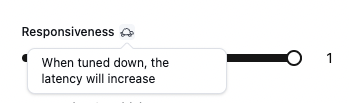
Features marked with a turtle icon 🐢 add [estimated latency](/reliability/check-estimated-latency). Aim to keep estimated latency under **1.5s**, and disable any turtle-marked feature you don't need.
 International calls add latency from the physical distance between regions. If you're calling across countries or continents, use a phone number in the same region as your users.
## Contact support
If the steps above don't resolve your latency issues:
1. Locate your call ID.
2. Message [support](/general/support).
3. Include your call ID, the steps you've already tried, and your current latency measurements.
International calls add latency from the physical distance between regions. If you're calling across countries or continents, use a phone number in the same region as your users.
## Contact support
If the steps above don't resolve your latency issues:
1. Locate your call ID.
2. Message [support](/general/support).
3. Include your call ID, the steps you've already tried, and your current latency measurements.