> ## Documentation Index
> Fetch the complete documentation index at: https://docs.retellai.com/llms.txt
> Use this file to discover all available pages before exploring further.
# Debug your agent response
> Debug agent responses in the Retell LLM Playground — click Debug on an utterance, follow suggested fixes, and add finetune examples without making real calls.
Here's how to troubleshoot common issues:
## When the agent's response is unexpected
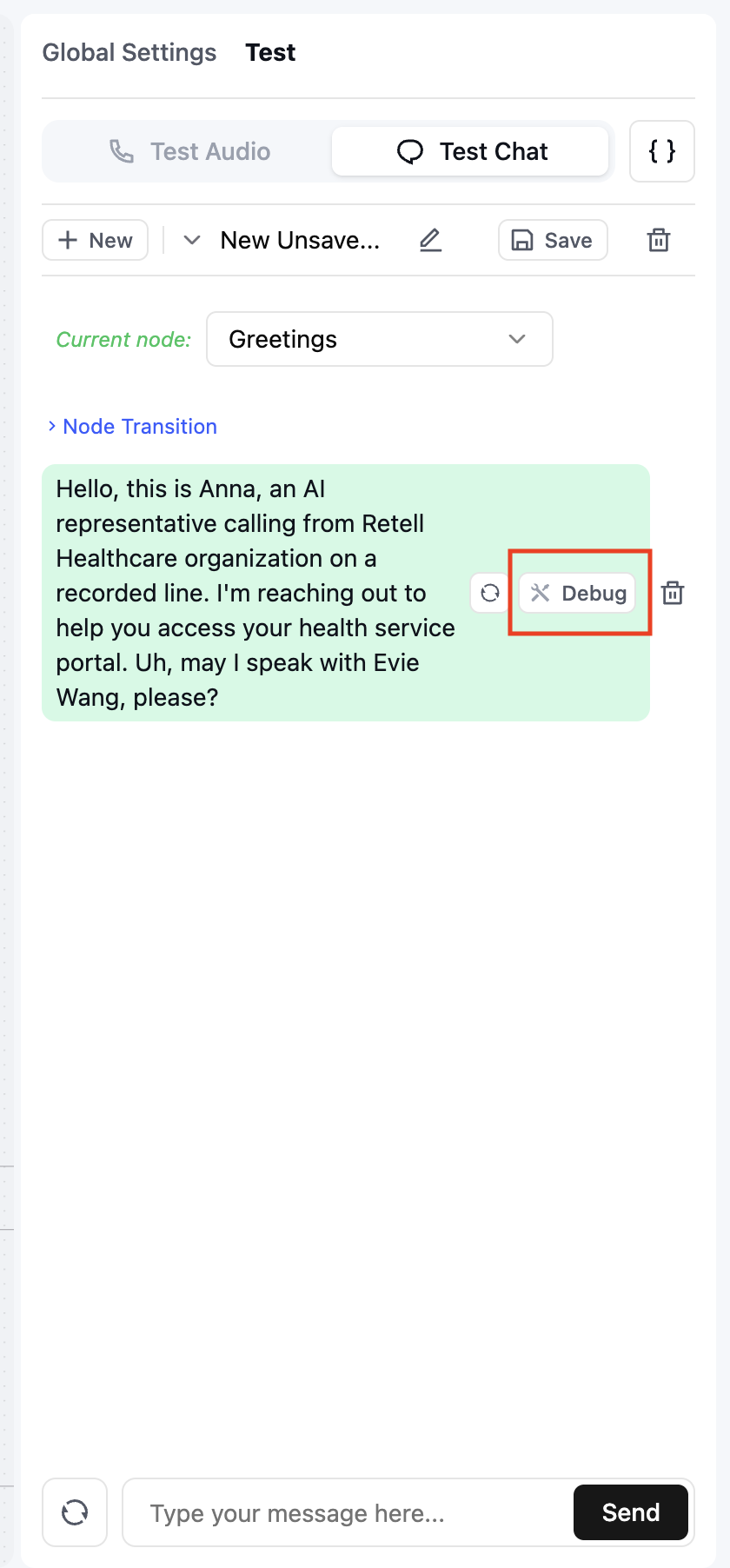
Step 1: Click the "Debug" button on the agent's response
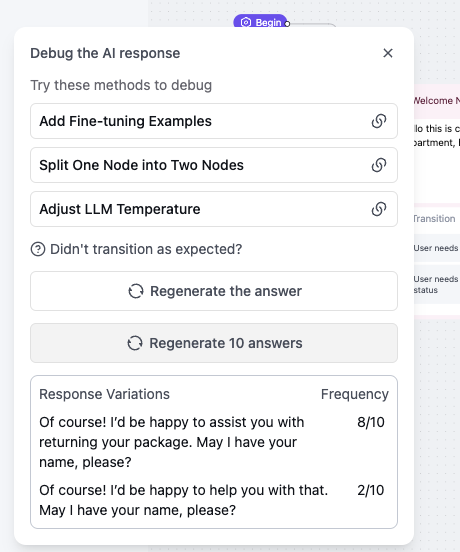
 Step 2: Follow the suggested solutions
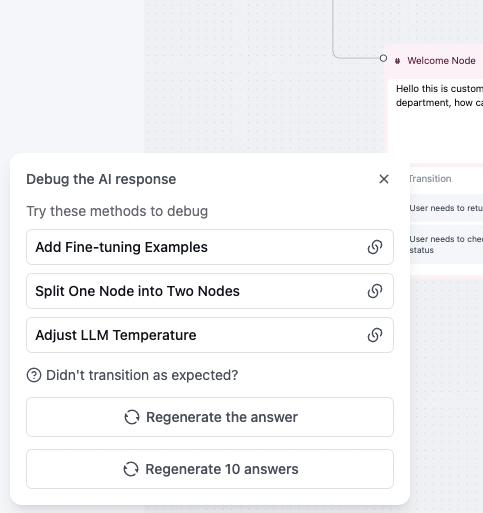 Available solutions:
1. Add fine-tuning examples ([guide](/build/conversation-flow/debug-guide#add-conversation-finetune-examples))
2. Split the node into multiple nodes ([guide](/build/conversation-flow/debug-guide#split-the-node-into-multiple-nodes))
3. Adjust the LLM temperature ([guide](/build/conversation-flow/debug-guide#adjust-the-llm-temperature))
Step 3: Click "Regenerate Answer" to get a new response
Step 4: Use "Regenerate 10 Times" to test response consistency
## When the agent doesn't transition correctly
Step 1: Click the "Debug" button on the agent's response
Available solutions:
1. Add fine-tuning examples ([guide](/build/conversation-flow/debug-guide#add-conversation-finetune-examples))
2. Split the node into multiple nodes ([guide](/build/conversation-flow/debug-guide#split-the-node-into-multiple-nodes))
3. Adjust the LLM temperature ([guide](/build/conversation-flow/debug-guide#adjust-the-llm-temperature))
Step 3: Click "Regenerate Answer" to get a new response
Step 4: Use "Regenerate 10 Times" to test response consistency
## When the agent doesn't transition correctly
Step 1: Click the "Debug" button on the agent's response
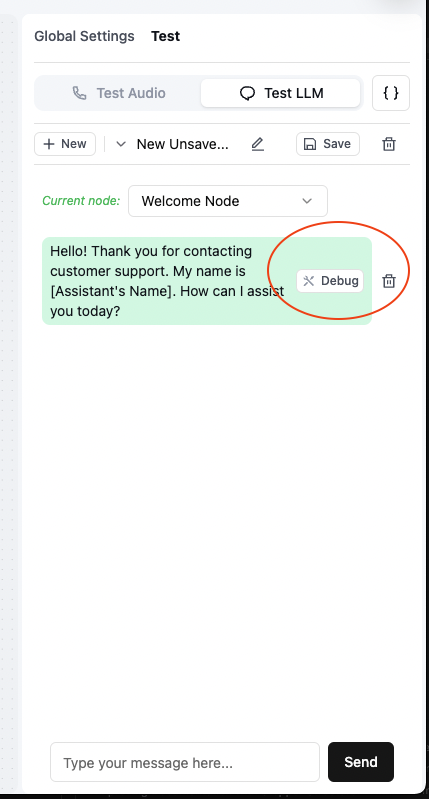 Step 2: Click "Didn't transition as expected?"
Step 3: Follow the suggested solutions
Step 2: Click "Didn't transition as expected?"
Step 3: Follow the suggested solutions
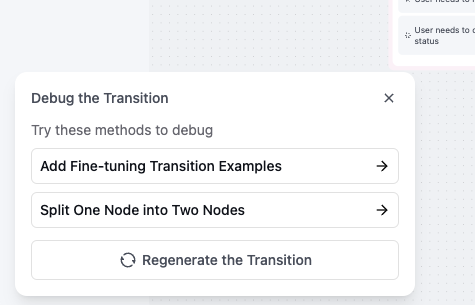 Available solutions:
1. Add fine-tuning transition examples ([guide](/build/conversation-flow/debug-guide#add-transition-finetune-examples))
2. Split the node into multiple nodes ([guide](/build/conversation-flow/debug-guide#split-the-node-into-multiple-nodes))
Step 4: Click "Regenerate Transition" to get a new response
## When the agent transitions at the wrong time
Step 1: Click the "Debug" button on the transition dialog
Available solutions:
1. Add fine-tuning transition examples ([guide](/build/conversation-flow/debug-guide#add-transition-finetune-examples))
2. Split the node into multiple nodes ([guide](/build/conversation-flow/debug-guide#split-the-node-into-multiple-nodes))
Step 4: Click "Regenerate Transition" to get a new response
## When the agent transitions at the wrong time
Step 1: Click the "Debug" button on the transition dialog
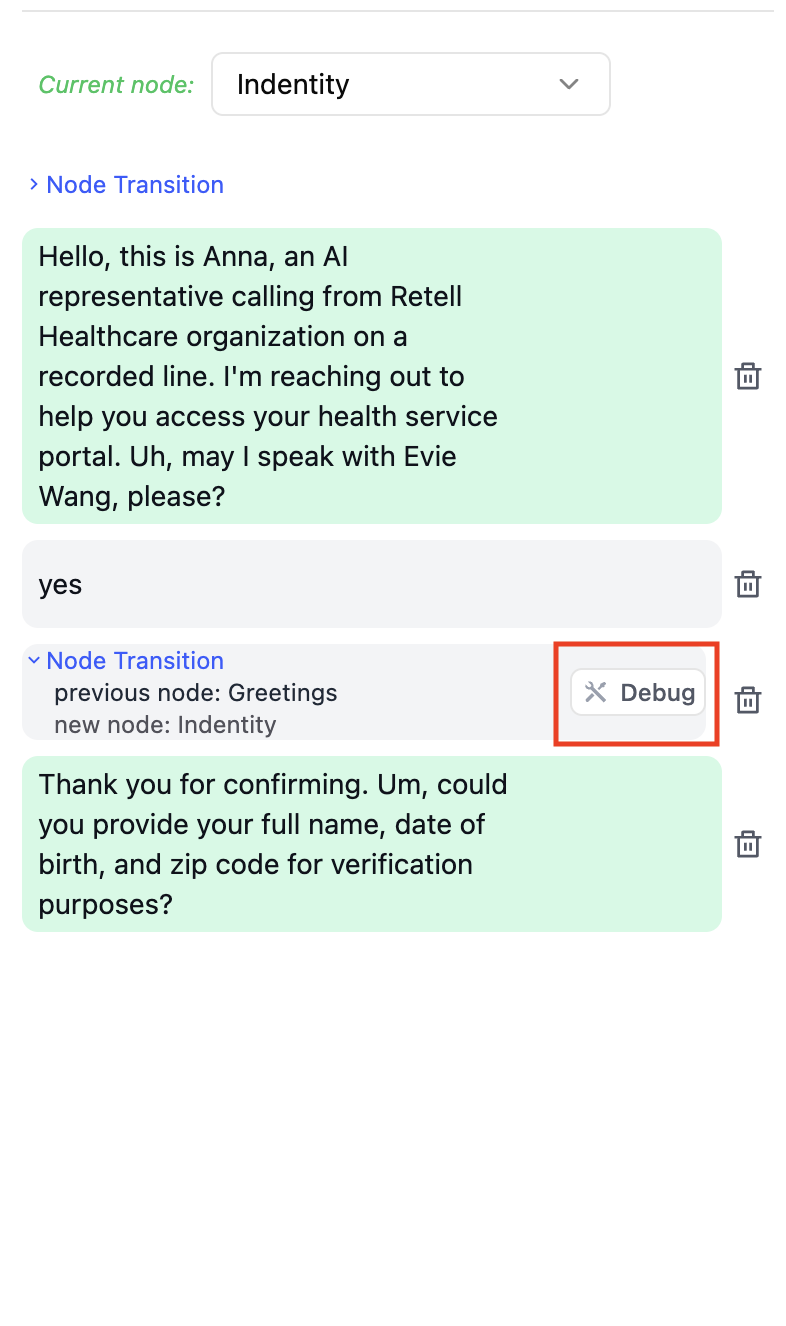 Step 2: Follow the suggested solutions
Available solutions:
1. Add fine-tuning transition examples ([guide](/build/conversation-flow/debug-guide#add-transition-finetune-examples))
2. Split the node into multiple nodes ([guide](/build/conversation-flow/debug-guide#split-the-node-into-multiple-nodes))
Step 3: Click "Regenerate Transition" to get a new response
## When the agent's responses are inconsistent
Step 1: Click the "Debug" button on the agent's response
Step 2: Try these solutions:
1. Add fine-tuning examples ([guide](/build/conversation-flow/debug-guide#add-conversation-finetune-examples))
2. Split the node into multiple nodes ([guide](/build/conversation-flow/debug-guide#split-the-node-into-multiple-nodes))
3. Adjust the temperature ([guide](/build/conversation-flow/debug-guide#adjust-the-llm-temperature))
Step 3: Click "Regenerate 10 Times" to test response consistency
Step 2: Follow the suggested solutions
Available solutions:
1. Add fine-tuning transition examples ([guide](/build/conversation-flow/debug-guide#add-transition-finetune-examples))
2. Split the node into multiple nodes ([guide](/build/conversation-flow/debug-guide#split-the-node-into-multiple-nodes))
Step 3: Click "Regenerate Transition" to get a new response
## When the agent's responses are inconsistent
Step 1: Click the "Debug" button on the agent's response
Step 2: Try these solutions:
1. Add fine-tuning examples ([guide](/build/conversation-flow/debug-guide#add-conversation-finetune-examples))
2. Split the node into multiple nodes ([guide](/build/conversation-flow/debug-guide#split-the-node-into-multiple-nodes))
3. Adjust the temperature ([guide](/build/conversation-flow/debug-guide#adjust-the-llm-temperature))
Step 3: Click "Regenerate 10 Times" to test response consistency