

Overview
Retell provides fraud protection features to help you prevent abuse of your voice AI agents. These features complement the general abuse prevention measures and give you fine-grained control over how your agents are accessed.Rate Limiting
When using public keys to authenticate calls from your frontend, you can enable fraud protection to automatically rate limit requests based on IP address and destination phone number.Enabling Fraud Protection
You can enable fraud protection when creating or updating a public key:- Navigate to Public Keys in your Retell dashboard
- Click on the public key you want to configure
- Toggle on Fraud Protection
- Save your changes
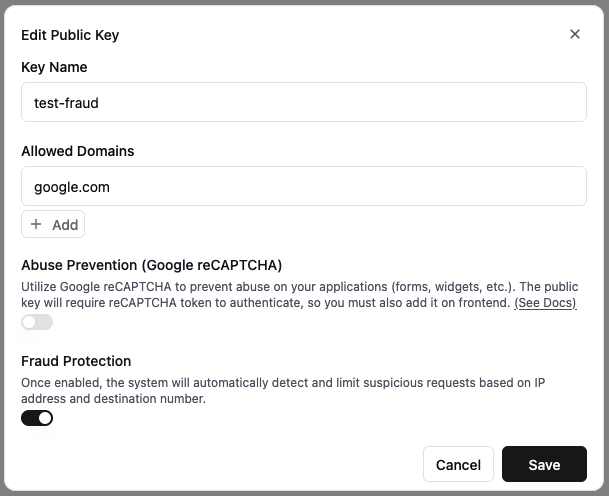
Enabling fraud protection on a public key
How It Works
When fraud protection is enabled on a public key:- Requests are rate limited based on the combination of the caller’s IP address and the destination phone number
- This prevents bad actors from using the same IP to spam calls to premium rate numbers
- The rate limiting applies to outbound phone calls and SMS initiated via public key authentication
Geographic Restrictions
You can restrict which countries are allowed to make inbound calls to your Retell phone numbers, and which countries your phone numbers can make outbound calls to. This helps prevent International Revenue Sharing Fraud (IRSF) and limits your exposure to unwanted traffic.Allowed Inbound Countries
Restrict which countries can call your Retell phone numbers:- Navigate to Phone Numbers in your Retell dashboard
- Click on the phone number you want to configure
- Under Allowed Inbound Countries, add the countries that should be allowed to call this number
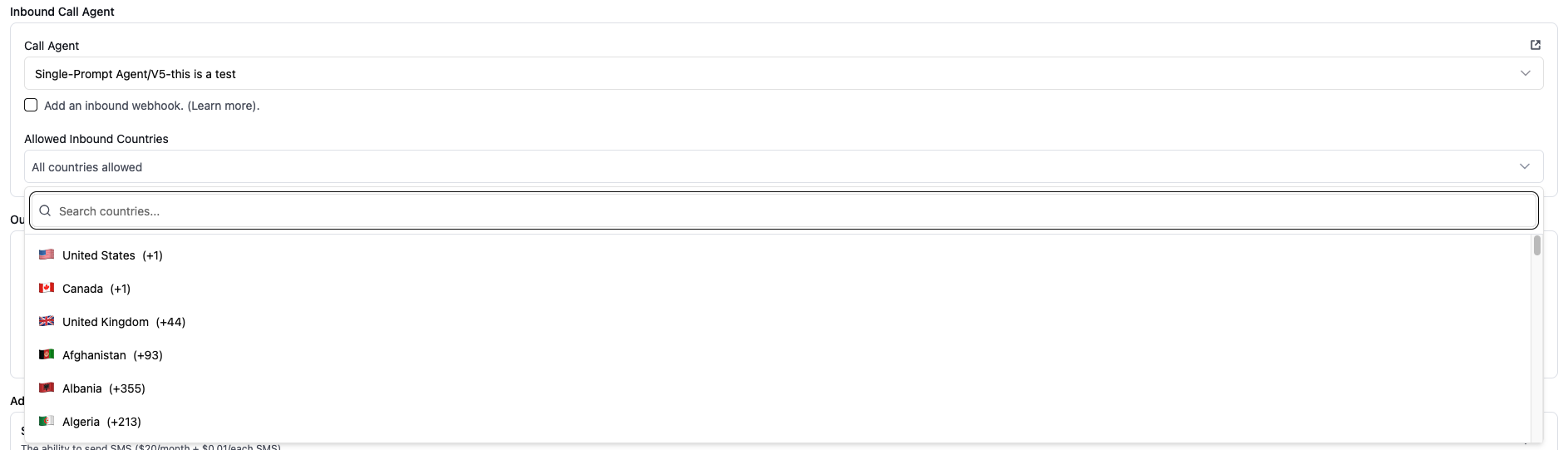
Configuring allowed inbound countries
Allowed Outbound Countries
Restrict which countries your phone numbers can call:- Navigate to Phone Numbers in your Retell dashboard
- Click on the phone number you want to configure
- Under Allowed Outbound Countries, add the countries this number should be allowed to call
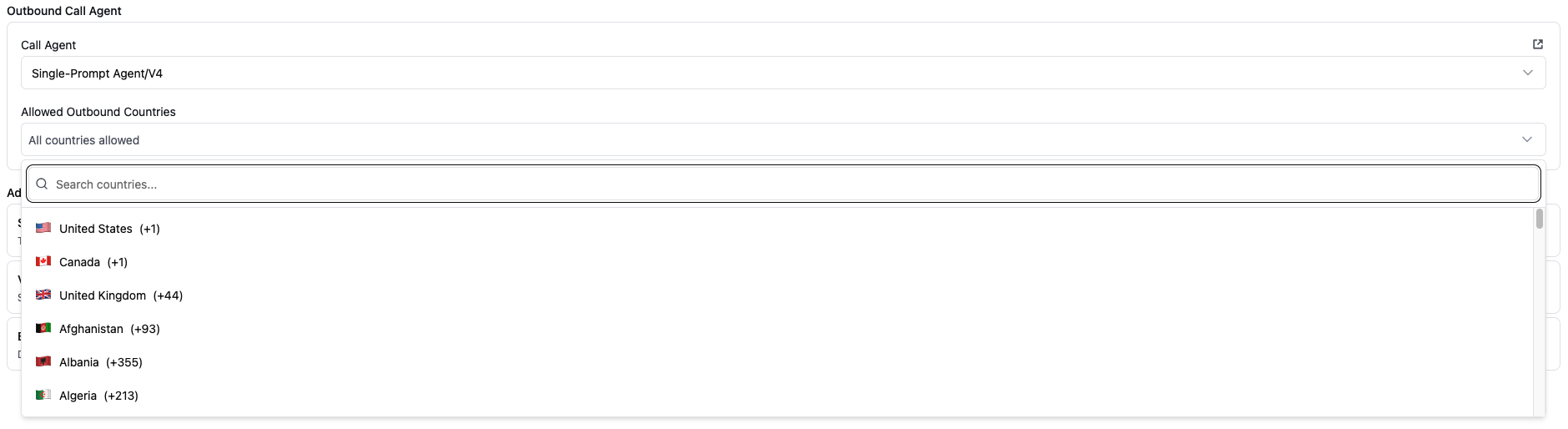
Configuring allowed outbound countries
Configuring via API
You can also configure geographic restrictions via the Update Phone Number API:null:
Sanctioned Countries
The following countries are always blocked regardless of your configuration:
Calls to or from these countries will be automatically rejected.
Best Practices
- Enable fraud protection on all public keys - This adds an extra layer of protection against abuse at minimal cost
- Combine with reCAPTCHA - Use both fraud protection and reCAPTCHA for web-initiated calls to prevent bot abuse
- Start with restrictive country lists - Begin with only the countries you need and expand as necessary
- Monitor for blocked calls - Use webhooks to track when calls are blocked due to geographic restrictions
- Review regularly - Periodically review your country restrictions to ensure they match your current business needs