

This node only works for phone numbers that have SMS enabled, or when using an SMS-approved Retell number. Read more about enabling SMS.
Choose where to send from
You can choose one of two options for the sending number:- SMS-approved Retell number: Send from Retell’s pool of numbers that are already approved for SMS. This bypasses the A2P application process entirely. The message content is a preset template provided by Retell — you cannot customize the text or use a prompt.
- Agent’s associated number: Send from the phone number bound to the agent. This requires your number to have SMS enabled through the A2P application, and the agent should collect SMS consent before this node runs.
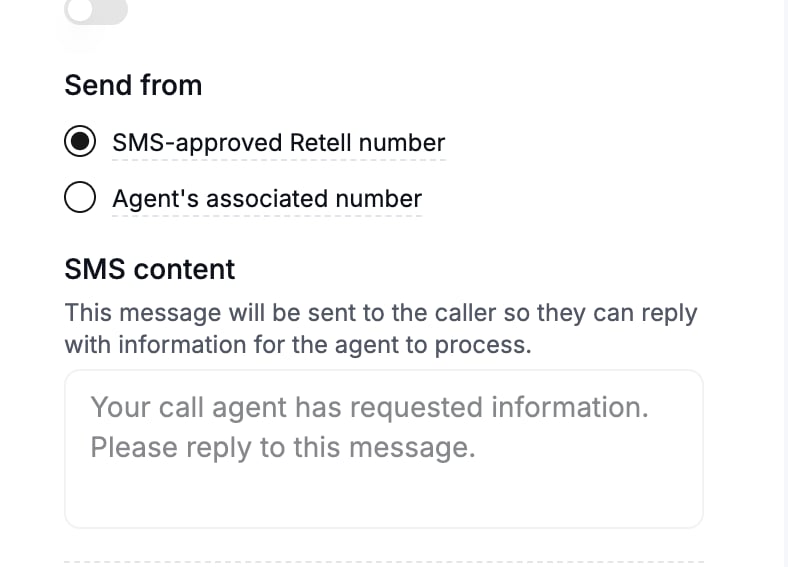
Choose a sender and review the preset SMS content.
Configure SMS content
- When sending from the agent’s associated number: You can write a prompt to let the agent infer the SMS content, or use static SMS content. Dynamic variables are supported for static SMS content.
- When sending from an SMS-approved Retell number: The message is a preset template provided by Retell. You cannot edit the content.
Configure SMS destination
By default, the SMS is sent to the caller’s number. You can also choose to send to a different number — either a static number or a dynamic variable (e.g.{{customer_phone}}).
When Can Transition Happen
The node would transition to the next node once the SMS is successfully sent or fails to send. It should take less than 2 seconds to get that result. It will transition out of the node purely based on the SMS result.Node settings
- Global Node: read more at Global Node
- LLM: choose a different model for this particular node. Will be used for function argument generation, and potentially speak during execution message generation.