

Granular language selection
In the dashboard, switch the language selector to Multiselect and pick the exact set of languages the agent should support — for example, English (US) + Spanish (Spain).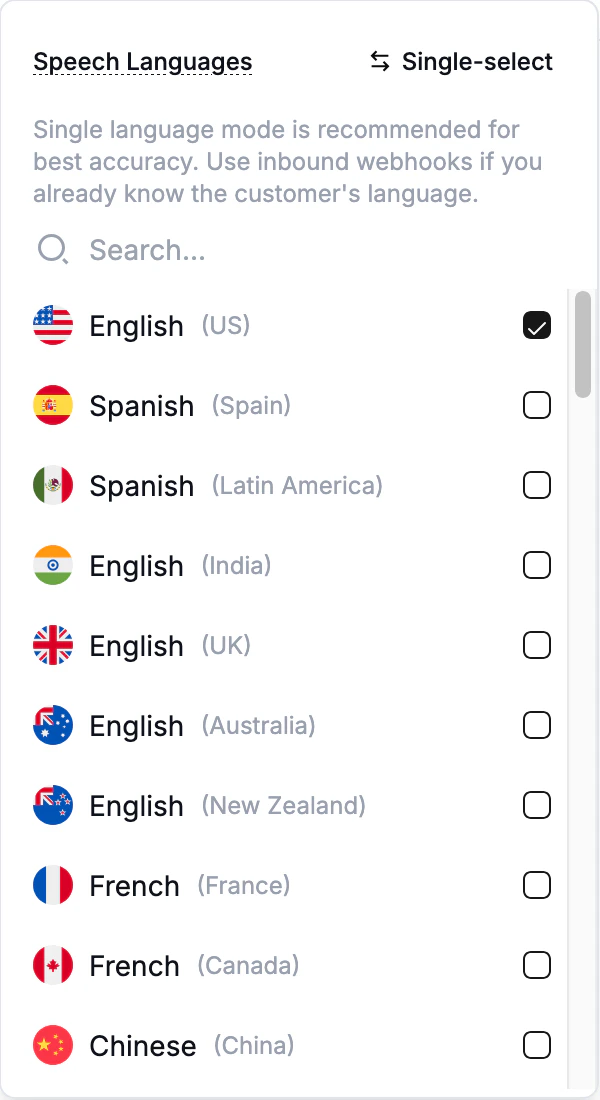
The language selector in Multiselect mode.
- Speech recognition — the agent figures out which of the selected languages the caller is speaking and transcribes accordingly.
- Voice pronunciation — the agent detects the language of each response and uses the matching pronunciation. If detection fails, it falls back to the first language you selected. Not all voice providers handle accents.
- Agent text — the agent is allowed to respond in any of the selected languages and chooses based on what the caller speaks (and any instructions you give in the prompt).
Accuracy trade-offs
Selecting multiple variants of the same base language (for example,
en-US and en-GB) does not trigger the multilingual speech-recognition pipeline. The agent stays on the single-language path for that base, with no accuracy penalty.Crossing language families (for example, en-US and es-ES) routes speech recognition to the multilingual pipeline, which is less accurate per language than single-language models. Pick the smallest set of languages you actually need.- Single language — best accuracy. Use this whenever you can.
- Multiple variants of the same base language (e.g.,
en-US+en-GB) — same accuracy as single language for that base. - Multiple languages across families (e.g.,
en-US+es-ES) — multilingual pipeline; some accuracy loss per language. - Legacy Multilingual setting — static list of supported languages, see below.
Closely related languages are hard to distinguish
Speech recognition struggles most on languages that share vocabulary, phonemes, or a writing system — for example Cantonese and Mandarin Chinese, or Cantonese in a mix with English. In practice, callers routinely get transcribed as the wrong Chinese variant, which then makes the agent respond in the wrong language. For these combinations:- Prefer single-language agents. If you know the caller’s language ahead of time — from CRM data, the dialed number, or a language-selection IVR step — spin up one agent per language and route callers to the right one, or override the language per call via the inbound call webhook.
- Don’t rely on auto-detect to separate close variants. A multilingual agent that includes both Cantonese and Mandarin will mix them up frequently no matter which voice or ASR provider you pick.
- English mixed with a Chinese variant is a separate constraint. Not every ASR provider covers Cantonese, and even fewer cover Cantonese together with Mandarin or English in the multilingual pipeline — check the picker in the dashboard for currently supported combinations, and see Language support by provider for a per-language breakdown.
Legacy Multilingual setting
Older agents may still have the generic Multilingual setting selected. It is preserved so existing agents keep working, but the dashboard now flags it as a legacy setting:“Multilingual” is a legacy setting. Pick specific languages to update.
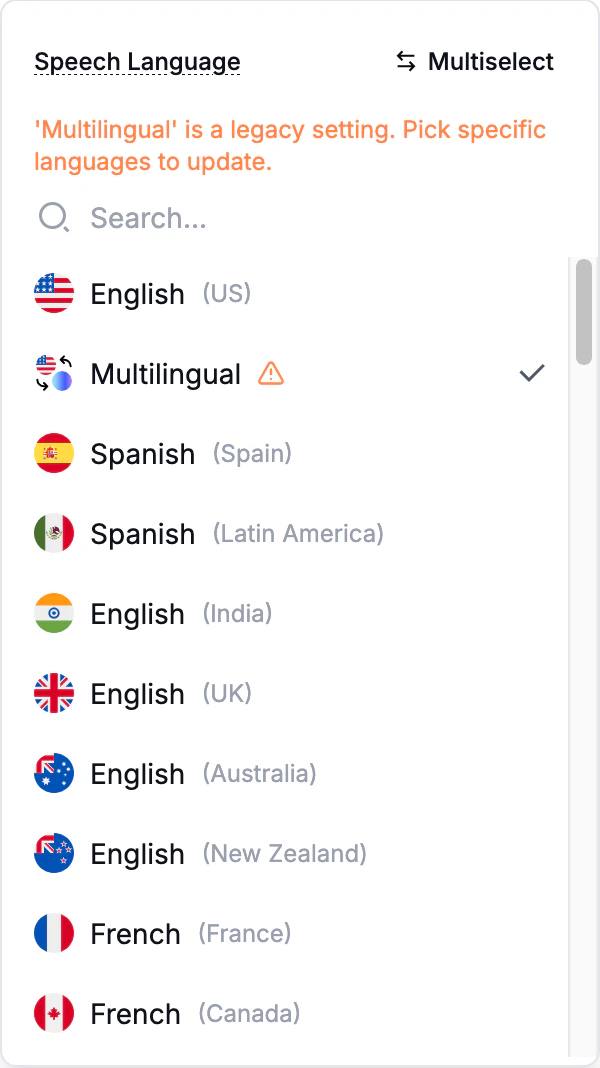
The legacy Multilingual option, flagged in the picker.
Picks the dashboard won’t allow
Some combinations are blocked at selection time:- Voice doesn’t support a language. Each voice (and pinned voice model) only supports a subset of languages. Unsupported combinations are greyed out in the language picker, with a tooltip explaining which voice or voice model is blocking it. Pick a different voice to enable that language.
- No speech-recognition provider covers the combination. Some combinations of languages have no single speech-recognition provider that covers all of them together. The dashboard greys those languages out with the reason — either drop a language or split the use case across multiple agents.