

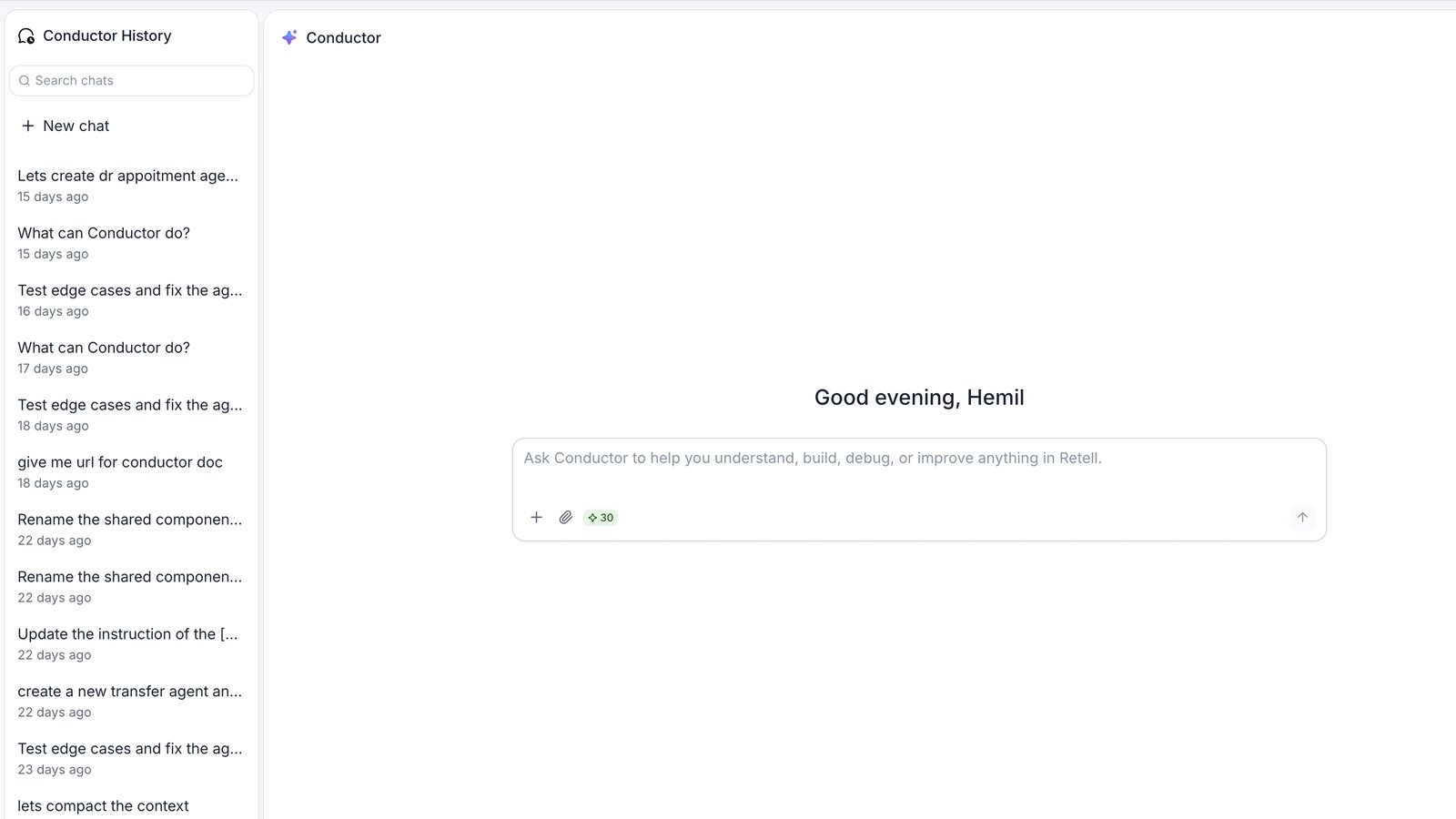
Start a workspace conversation from the Home message box.
When to use Conductor from the home page
- You want to ask a general question about Retell before opening an agent.
- You want to compare two agents or reference one agent while working on another.
- You’re planning a new agent and want to think through the approach first.
- You want to investigate calls and chats or plan an analytics dashboard.
Where to find it
Click Home in the sidebar and type in the Conductor message box.What’s different on the home page
The home-page Conductor shares conversation history and the resource selector with Conductor inside an agent. On Home, history lives in a dedicated panel alongside the conversation instead of a header icon, and no agent is active by default.Attach agents from your workspace
Click Add context (+), then Agents, to attach an agent from your workspace. To attach several, choose Multi-select, check the agents, and click Save. They appear as context chips above the message box. This selector is also available inside an agent; see Give Conductor context for all resource types.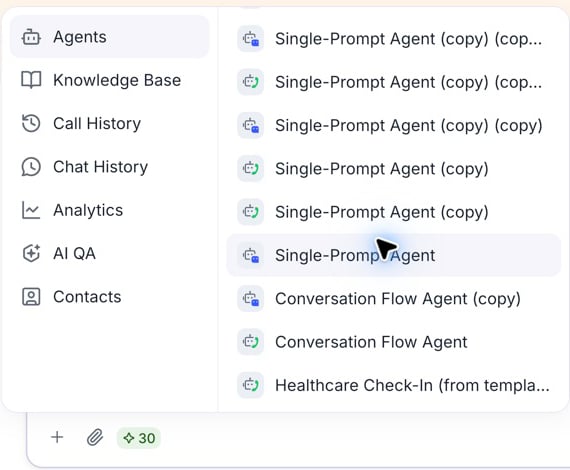
Choose an agent from the Agents category on Home.
- “Make Agent B handle transfers the same way Agent A does.”
- “What’s different between my appointment-booking agent and my customer-support agent?”
- “I want to build a new agent similar to this one — what should I change?”
No active agent by default
Attach an agent or name the one you want to change. You can also open that agent and continue the conversation there.When Conductor proposes agent changes from Home, click Open this agent in the proposal to review the edits. Dashboard proposals offer Open this dashboard for the same purpose.