

If you are using a non-platform voice, you will need to configure TTS fallback manually.
Select a platform voice
Use the voice selector in your agent settings to browse platform voices, filter by gender or accent, preview with the play button, and save your choice. Each voice has a voice ID in the formretell-<Name> (for example, retell-Cimo) that you can pass as voice_id when you create or update an agent via the API.
1
Open the voice selector
Open an agent. In Agent settings, click the voice chip in the Voice & Language row.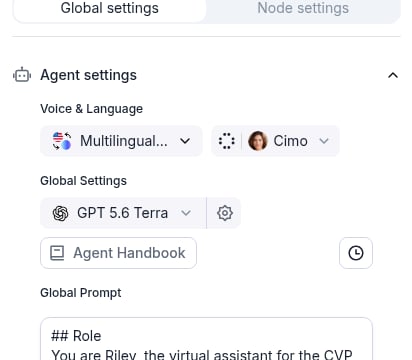
2
Browse Platform Voices
The Platform Voices tab opens first. Use the Gender and Accent filters, or search by name, to narrow the list. Press play on a card to preview, then select a voice and click Save.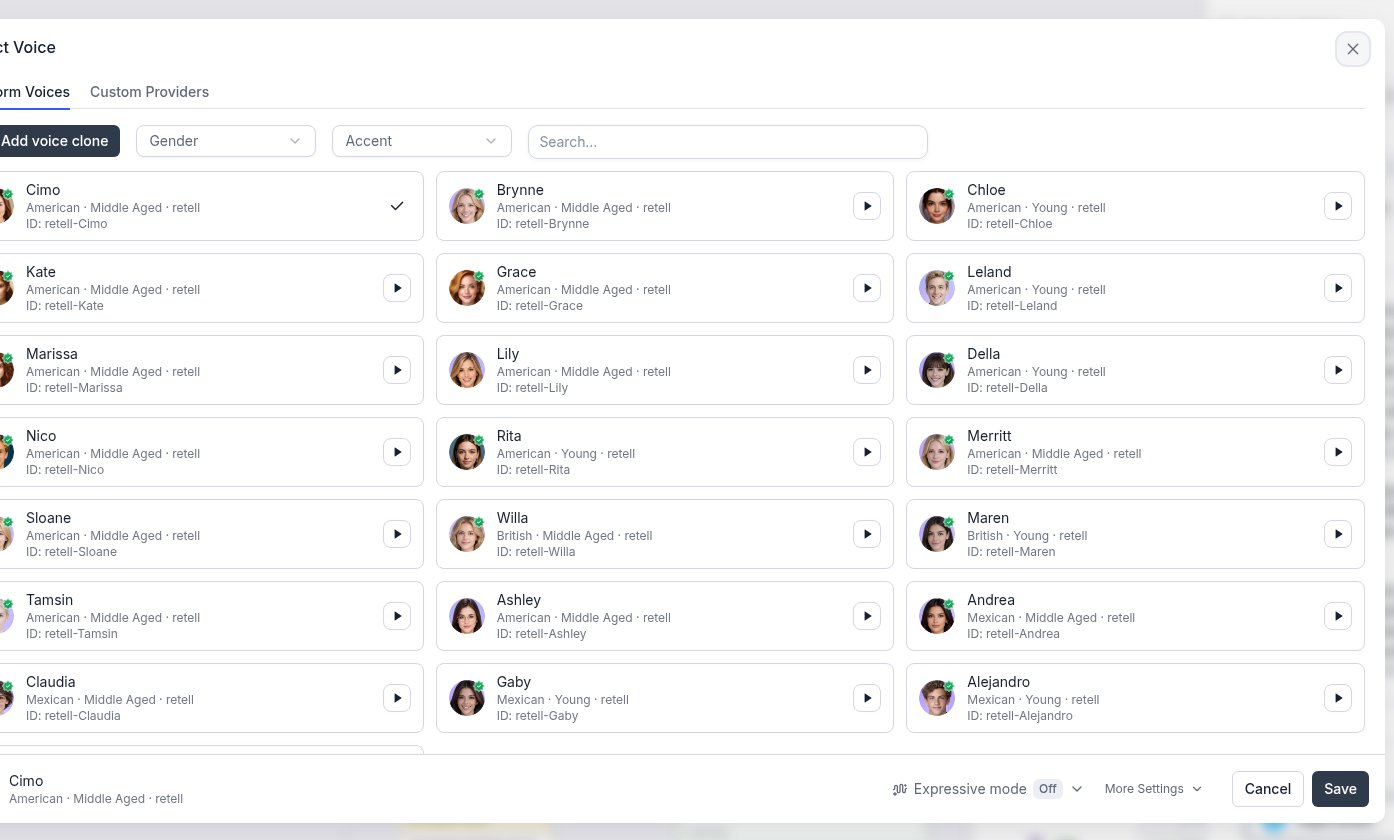
Recommended voices
Start with one of these platform voices based on accent, age, and gender. Preview a few with the play button before you choose — the attributes below match what the dashboard shows on each card.
Grouped by need:
- American female, middle aged: Cimo, Brynne, Kate
- American female, young: Chloe, Della, Rita
- American male: Nico (middle aged), Leland (young)
- British: Willa (middle aged), Maren (young)
- Mexican accent: Andrea, Claudia (middle aged); Gaby (young); Alejandro (young male)
All platform voices
All platform voices
Custom voice cloning
You can clone a voice as a platform voice from the dashboard or the API. Platform clones get the same automatic TTS fallback as built-in platform voices.From the dashboard
On the Platform Voices tab, click Add voice clone. Enter a voice name, upload an audio or video clip (up to 10 MB), confirm the consent checkbox, then click Save.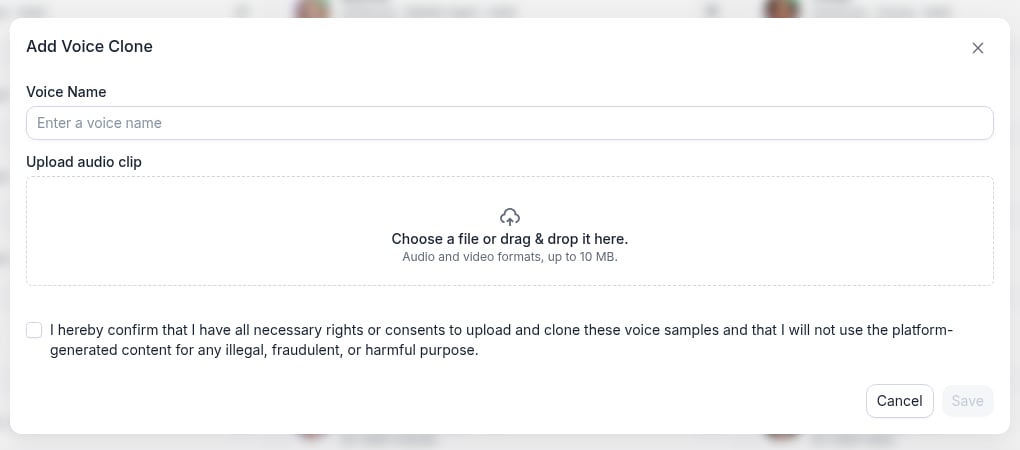
From the API
You can also clone your own voice as a platform voice by settingvoice_provider to platform when calling the Clone Voice API. The cloned voice will behave the same as a built-in platform voice — fallback is handled automatically and you do not need to configure TTS fallback separately.