

Add Custom Voice
In the voice selector, you can click “Add custom voice” to search and add publicly available community voices.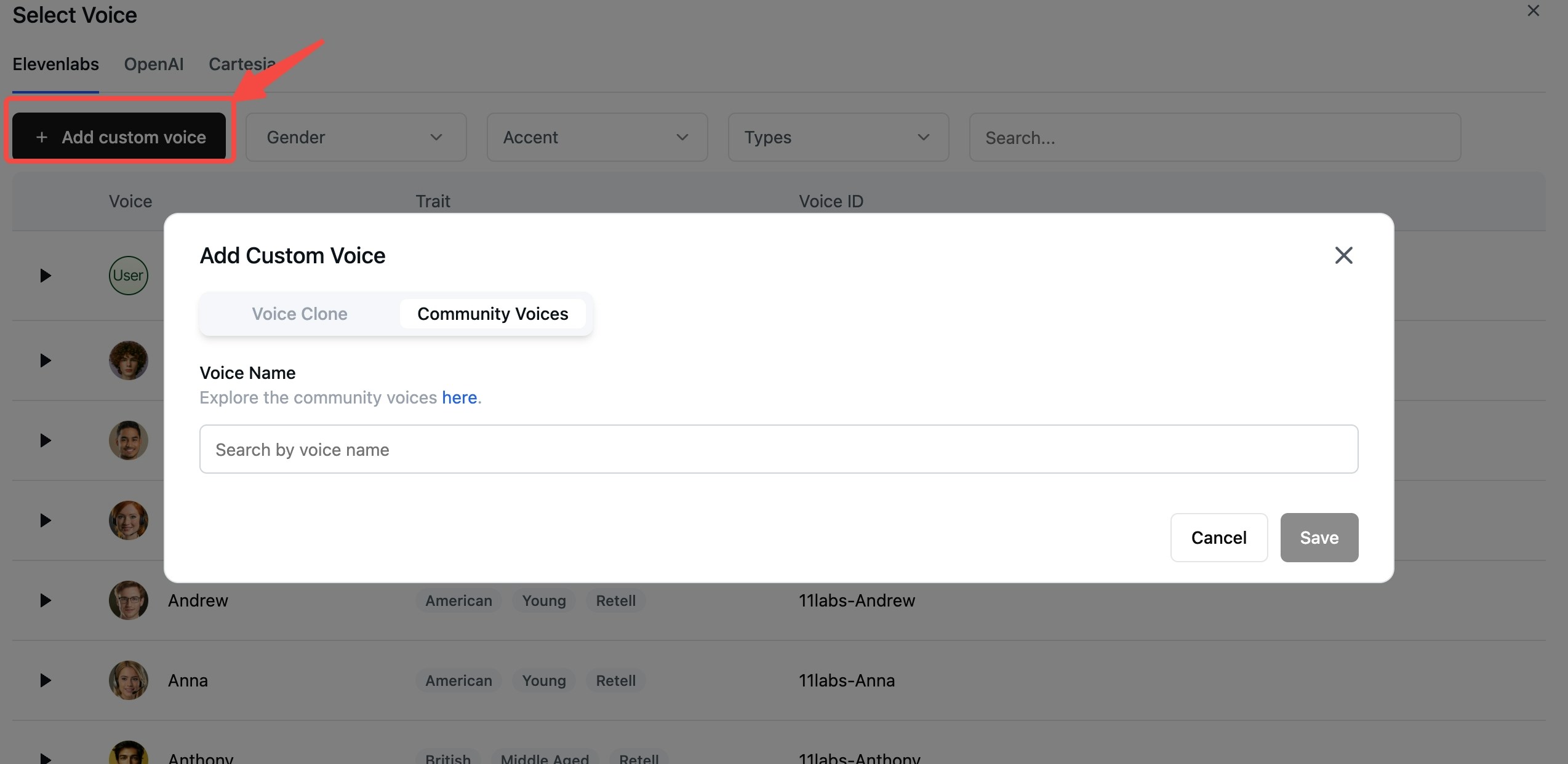
Add Voice Clone
You can also add a voice clone by clicking “Add custom voice” in the voice selector.1
Access Voice Clone Feature
Open the voice selector and click “Add custom voice”.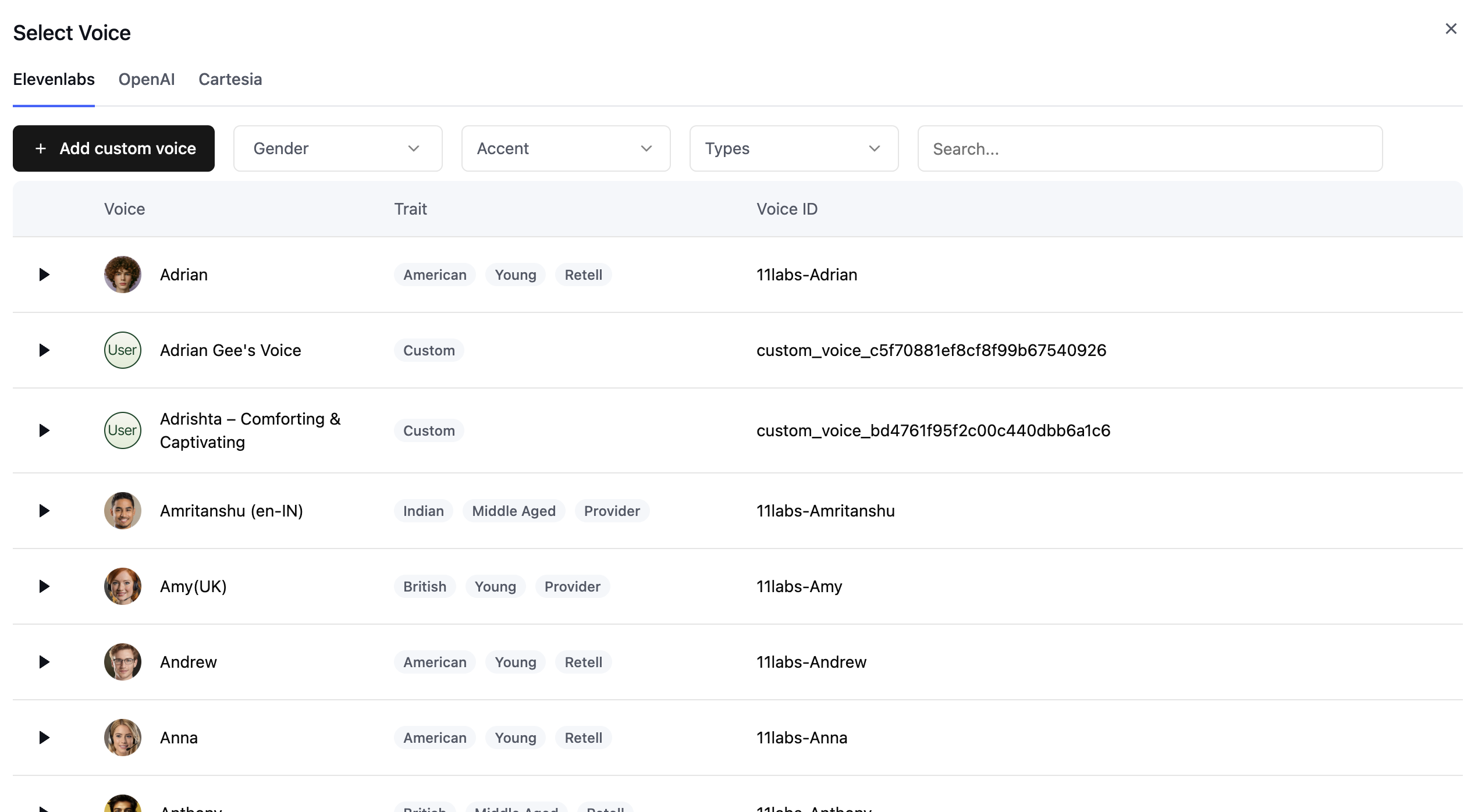
2
Train Your Voice Clone
Upload your voice recordings to train the voice clone.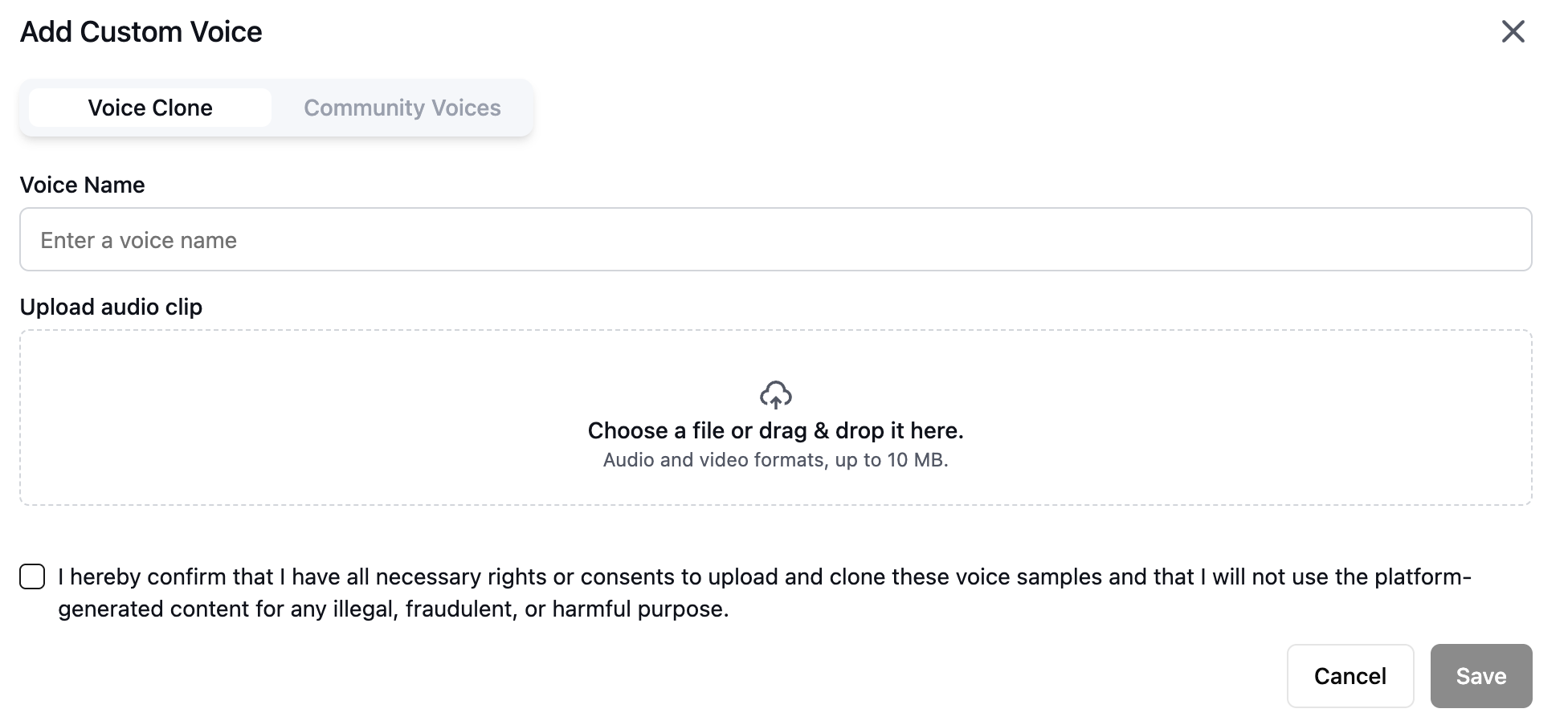
What to say in the recordings
Cloning captures how the voice sounds, not what it says, so you don’t need to read a specific script. Any natural speech works. For the best result:- Speak in the tone, pace, and energy you want the agent to use on calls. The clone reproduces the delivery it hears.
- Use continuous, conversational speech rather than isolated words or long pauses.
- Record a single speaker with no background noise, music, or echo.
- Avoid heavily edited or compressed audio. A clean microphone recording works better than audio captured from a phone or video call.