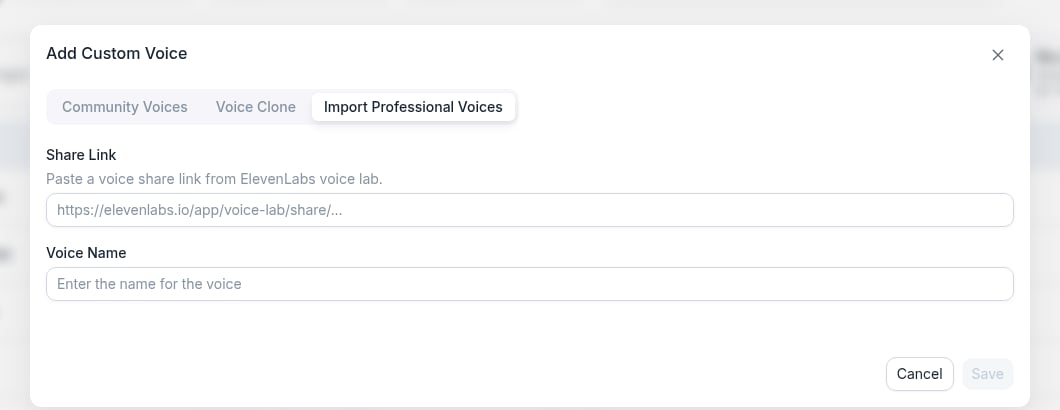
Add Custom Voice
Open the voice selector, go to Custom Providers, pick a provider (MiniMax, Cartesia, Fish Audio, Inworld, or ElevenLabs), then click Add custom voice. On the Community Voices tab, search by voice name or voice ID to add a publicly available community voice.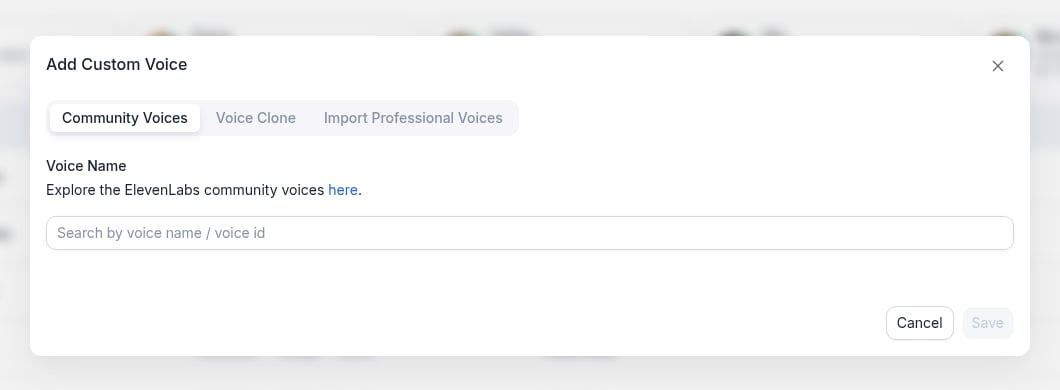
Add Voice Clone
The recommended way to clone a voice is from the Platform Voices tab: click Add voice clone, which creates a platform voice clone (automatic TTS fallback, same as built-in platform voices). You can also train a clone through a custom provider’s Voice Clone tab using the steps below.1
Open Add custom voice
Open the voice selector, select Custom Providers, choose your provider, then click Add custom voice.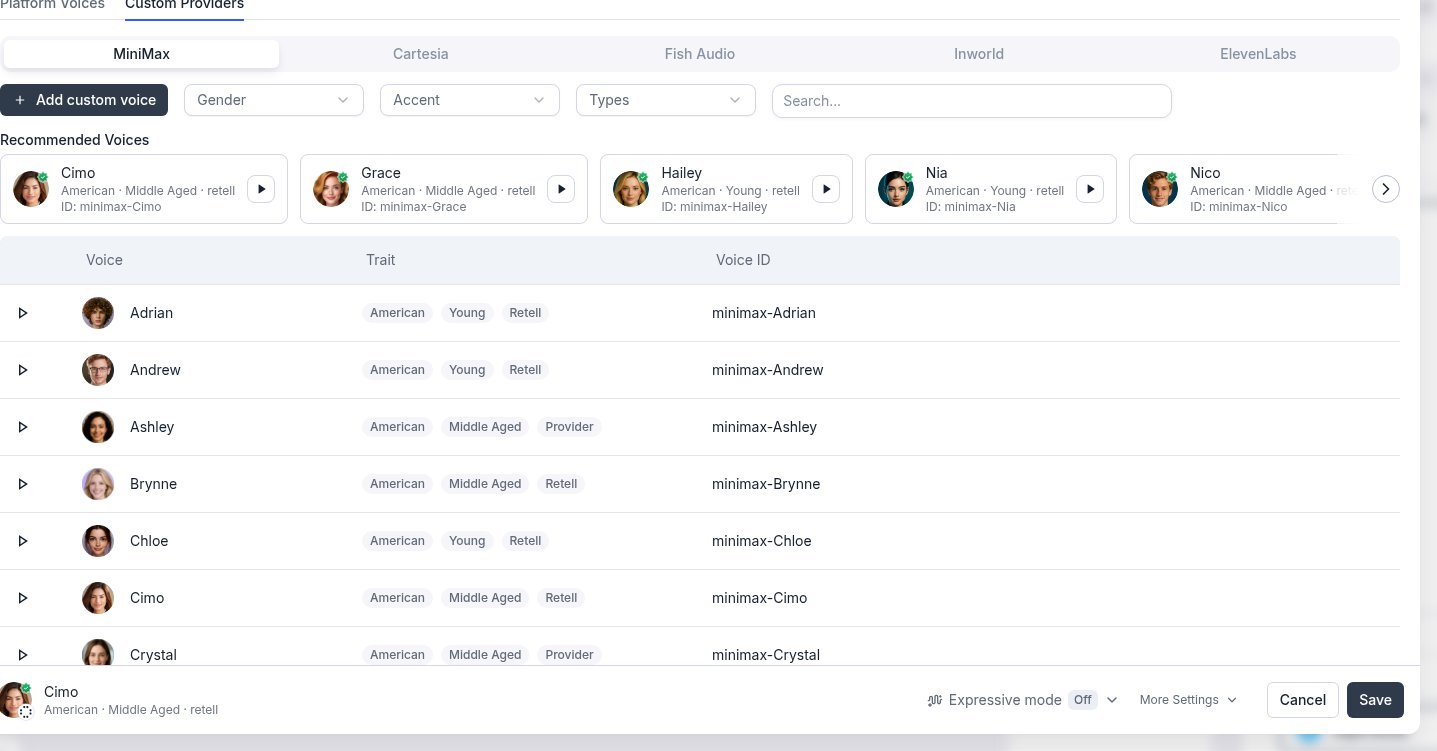
2
Train Your Voice Clone
Open the Voice Clone tab, enter a voice name, upload your audio clip, confirm the consent checkbox, then click Save.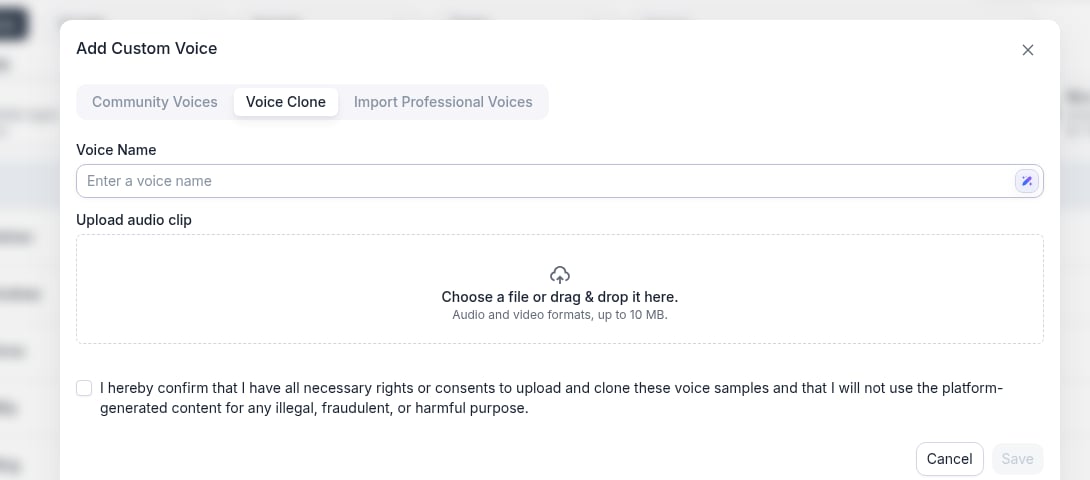
What to say in the recordings
Cloning captures how the voice sounds, not what it says, so you don’t need to read a specific script. Any natural speech works. For the best result:- Speak in the tone, pace, and energy you want the agent to use on calls. The clone reproduces the delivery it hears.
- Use continuous, conversational speech rather than isolated words or long pauses.
- Record a single speaker with no background noise, music, or echo.
- Avoid heavily edited or compressed audio. A clean microphone recording works better than audio captured from a phone or video call.
File limits
File limits depend on the voice provider you clone with. Inworld voice cloning accepts up to 3 files and 16 MB of audio in total, while Cartesia, MiniMax, and platform clones take a single file. ElevenLabs clones accept up to 25 files via the Clone Voice API. In the dashboard upload field, ElevenLabs accepts audio and video formats up to 10 MB per clip.Some custom providers (currently ElevenLabs) show an Import Professional Voices tab under Add custom voice. Paste the voice’s share link from the provider, enter a voice name, then click Save. Only professional voice clones that are shareable by link can be imported.