

Data Retention Policy
Retell allows you to configure a data retention period per agent. After the retention period expires, call and chat data associated with that agent is automatically and permanently deleted. By default, data is kept indefinitely (no automatic deletion).How It Works
- Data retention is configured per agent under Security & fallback settings
- Expired data is automatically deleted on a daily basis
- Deletion is permanent and irreversible — deleted data cannot be recovered
- Applies to both voice calls and chats
How to Configure
- Navigate to your agent
- Open Security & fallback settings
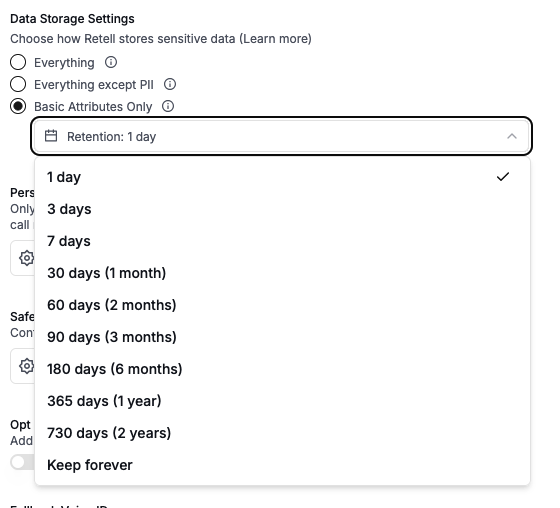
- Under Data Storage Settings, select your preferred data storage mode
- Use the Retention dropdown to set how long data is kept before automatic deletion
What Gets Deleted
When the retention period expires, the following data is permanently removed:- Call recordings (audio files)
- Transcripts
- Call and chat logs
- Knowledge base retrieval logs
- Dynamic variables and metadata
Available Retention Periods
API Configuration
You can set the retention period via the API when creating or updating an agent:- Field:
data_storage_retention_days - Type: integer (1–730) or
null - Default:
null(keep forever)
Related
- Data Storage Settings — control what types of data are stored
- Secure URLs — configure URL expiration for recordings and logs