

What each check catches
In the campaign’s Contacts tab, choose your contacts and click Continue. The next screen, Contacts - screening, lists the checks. When you create a campaign in the dashboard, only Retell Contacts DNC is on. A campaign created through the API has no checks unless you set them.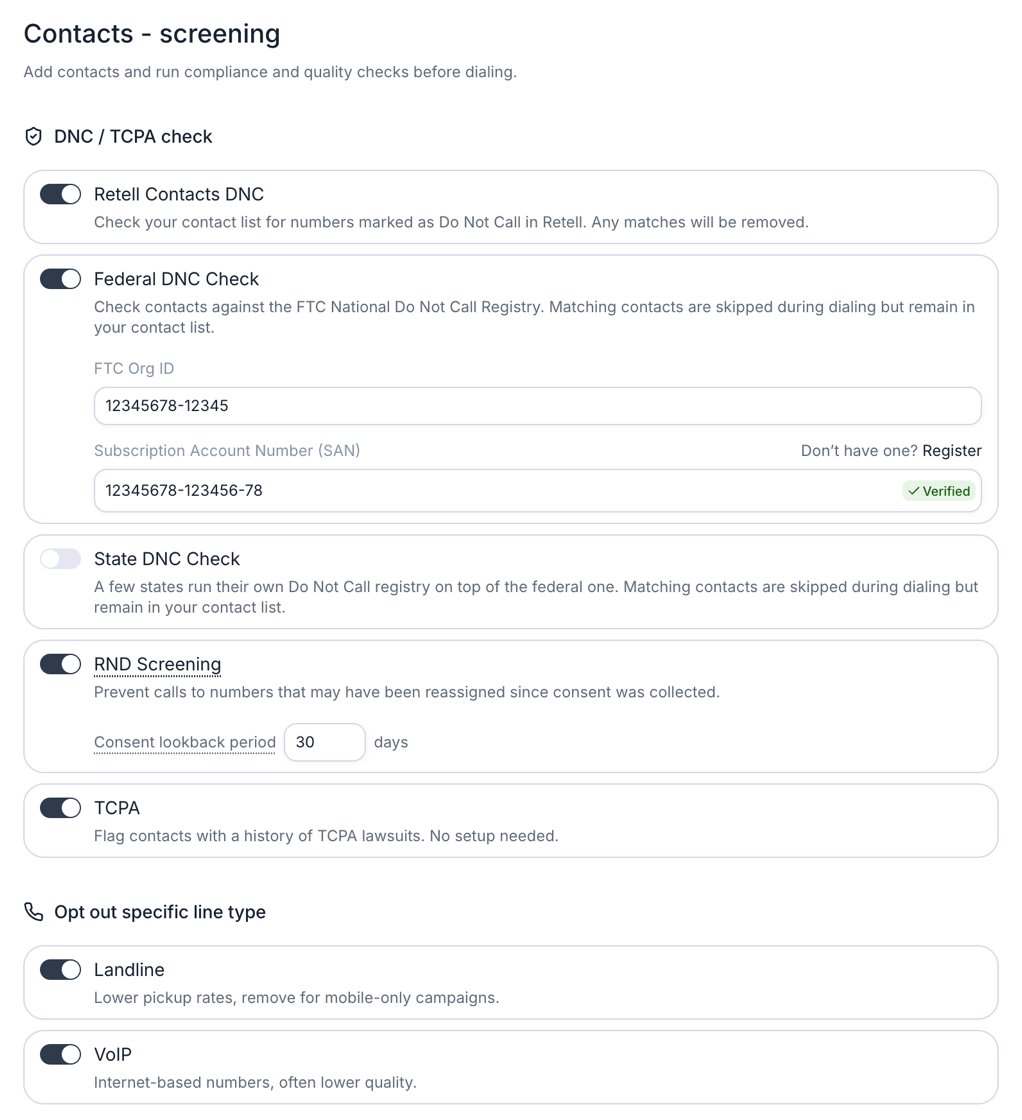
The Contacts - screening screen with Federal DNC Check on and a verified SAN.
RND Screening checks the Reassigned Numbers Database for numbers reassigned within the Consent lookback period, counted back from the day the check runs. A number reassigned before that period isn’t caught, so set the period to reach back to when you collected consent. It takes a whole number of days, 0 or greater.
The line-type checks skip only landline and VoIP numbers. You can’t filter out mobile numbers.
If the screening provider can’t tell whether a number matches a check, for example a line type it can’t identify, the number passes that check. A check is a screen, not a guarantee.
Screening is billed per number checked. The Cost estimates panel on the Contacts - screening screen shows the estimate. Retell Contacts DNC alone is free, and Auto-enroll contacts are billed as they’re checked.
Set up your FTC registration
Federal DNC and state DNC run under your own FTC National Do Not Call Registry account, so Retell needs your FTC Org ID and Subscription Account Number (SAN). A campaign with either check on can’t launch until the FTC verifies them. Until then, launch shows “This campaign can’t launch until the FTC verifies your SAN.”1
Get an Org ID and SAN from the FTC
If you don’t have them, register at telemarketing.donotcall.gov. The Register link next to the SAN field opens the same site. Subscribe to every area code you plan to call.
2
Enter them in Retell
Go to Settings → Compliance. In Federal and State DNC Checks, enter the FTC Org ID and Subscription Account Number (SAN), then click Confirm. The same fields also appear on the Contacts - screening screen when you turn on Federal DNC Check or State DNC Check.
3
Wait for the FTC to verify
Click Confirm in the Verify the DNC with the FTC dialog. The dashboard says the process “may take up to 1 hour”, and you can leave the page while it runs. The SAN field shows Pending, then Verified once the FTC accepts it. If it’s still Pending after an hour, check back later instead of submitting again.
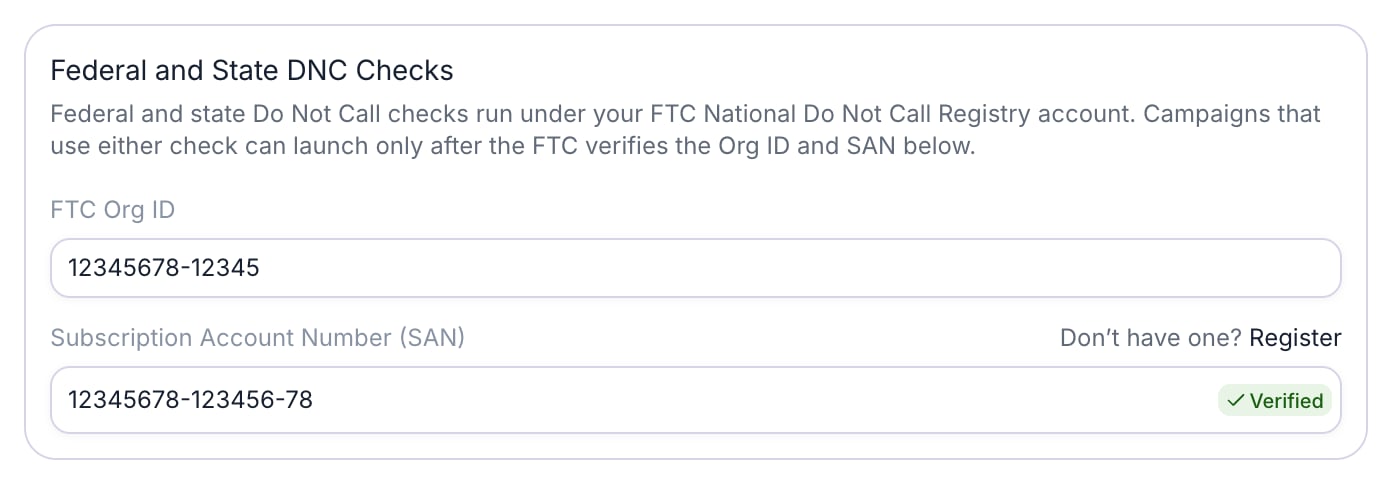
The Federal and State DNC Checks card on Settings → Compliance, with a verified SAN.
Area codes your SAN covers
Your SAN covers only the area codes you subscribed to with the FTC. Retell can’t check a contact in any other area code against the registries, so that contact fails as Area code not covered by your SAN. The dashboard doesn’t show which area codes your SAN covers, so confirm your subscription with the FTC before you launch.Change your SAN
To replace a verified SAN, hover over the SAN field, click the X, and click Change SAN. The dialog warns: “Changing your SAN turns off federal and state DNC checks until the FTC verifies the new value. Until then, running campaigns that use these checks fail their new contacts.” In an Auto-enroll campaign, that’s every contact that enrolls before the new SAN is verified. A failed contact is never checked again, so change the SAN when no running campaign with these checks is enrolling contacts.Who can edit the registration
Anyone who can edit phone numbers, such as Admins and Developers, can edit the FTC registration (see access control). Members see it read-only, with “Ask someone who can edit phone numbers to add your FTC registration.”When checks run
- At launch. Standard and Auto-enroll campaigns both check every contact when you launch. A scheduled campaign checks its contacts when you schedule it, not at its start time.
- When a contact joins an Auto-enroll campaign. Retell checks a contact that enrolls after launch, usually within about 5 minutes.
- Before each call or SMS attempt, for internal DNC only. If a contact is marked do-not-call after it passed, Retell stops it before the next attempt. Its stage becomes Failed with the reason Marked Do Not Call in Retell. A call already queued, or the second dial of a double dial, isn’t rechecked. The other checks don’t run again, so federal and state DNC results stay as they were at launch for the life of the campaign.
Which numbers are checked?
Retell Contacts DNC applies to every number. As of October 2026, the other checks run only on valid US and Canadian numbers (+1). Other numbers, including numbers in other +1 regions such as Puerto Rico and Jamaica, skip those checks and enroll as if they passed. Federal DNC and State DNC check US registries only. Retell doesn’t check Canada’s National Do Not Call List (DNCL), so screen Canadian contacts against it yourself before you add them to a campaign.Do-not-call requests during a campaign
Compliance checks screen contacts before the first dial. During the campaign, a contact can still ask you to stop:- On a call, the agent’s Do-not-contact Handling confirms the request and ends the call. With Retell Contacts DNC on, Retell turns on Do-not-contact Handling for the campaign’s calls, even if the agent has it off.
- By SMS, the contact replies to a campaign message with an opt-out keyword such as
STOP.
STOP after the SMS chat has closed, Retell still marks the contact, but the sequence stops only at its next attempt, and only if Retell Contacts DNC is on. The mark is workspace-wide, so every campaign with Retell Contacts DNC on skips the contact from then on.
What stays your responsibility
Compliance checks skip numbers you shouldn’t call. They don’t establish that you may call the rest.- Consent. Retell doesn’t verify that you have consent to call a contact. Before launch, you check a box that reads: “I confirm this campaign respects all applicable legal and consent requirements for the contacts being dialed, including TCPA, state DNC laws, and any opt-in obligations.”
- Calling hours. Retell doesn’t enforce TCPA calling hours. It dials only inside the calling window you set on the sequence, in the time zone the sequence picks for each contact. With Contact’s local time, that’s the time zone of the area code of a US or Canadian number, which may not match where the person is. Other numbers use the fallback time zone. Set a window that meets the calling-hour rules for your contacts. A callback that a contact requests for a specific time goes out at that time, even outside the window.
This page describes what Retell checks. It isn’t legal advice. Confirm which rules apply to your campaigns with your legal counsel.
FAQ
Does Retell scrub against the national DNC registry?
Does Retell scrub against the national DNC registry?
Yes. Turn on Federal DNC Check for the campaign. Retell checks contacts against the FTC National Do Not Call Registry under your own FTC registration and never dials a match. State DNC Check does the same for state registries.
Do I need my own SAN?
Do I need my own SAN?
Yes, for federal DNC and state DNC. Retell runs those checks under your FTC Org ID and SAN, and a campaign that uses them can’t launch until the FTC verifies the SAN. Retell Contacts DNC, RND Screening, TCPA, and the line-type checks don’t need one.
What happens to contacts that fail a check?
What happens to contacts that fail a check?
They get the stage Enroll failed and a reason, such as On the federal Do Not Call registry, on the campaign’s Contacts tab. Retell never dials them in that campaign and never checks them again. They stay in your workspace Contacts.
Can Retell filter out mobile numbers?
Can Retell filter out mobile numbers?
No. The line-type checks skip only landline and VoIP numbers.
Does Retell check that I have consent to call a contact?
Does Retell check that I have consent to call a contact?
No. Consent is your responsibility. RND Screening skips numbers that changed owners within the consent lookback period, but it doesn’t confirm consent.
If one agent marks a contact do-not-call, do other campaigns skip it?
If one agent marks a contact do-not-call, do other campaigns skip it?
Yes, if they have Retell Contacts DNC on. The mark is on the workspace contact, not the agent or the campaign, so running campaigns skip the contact before their next dial too.