

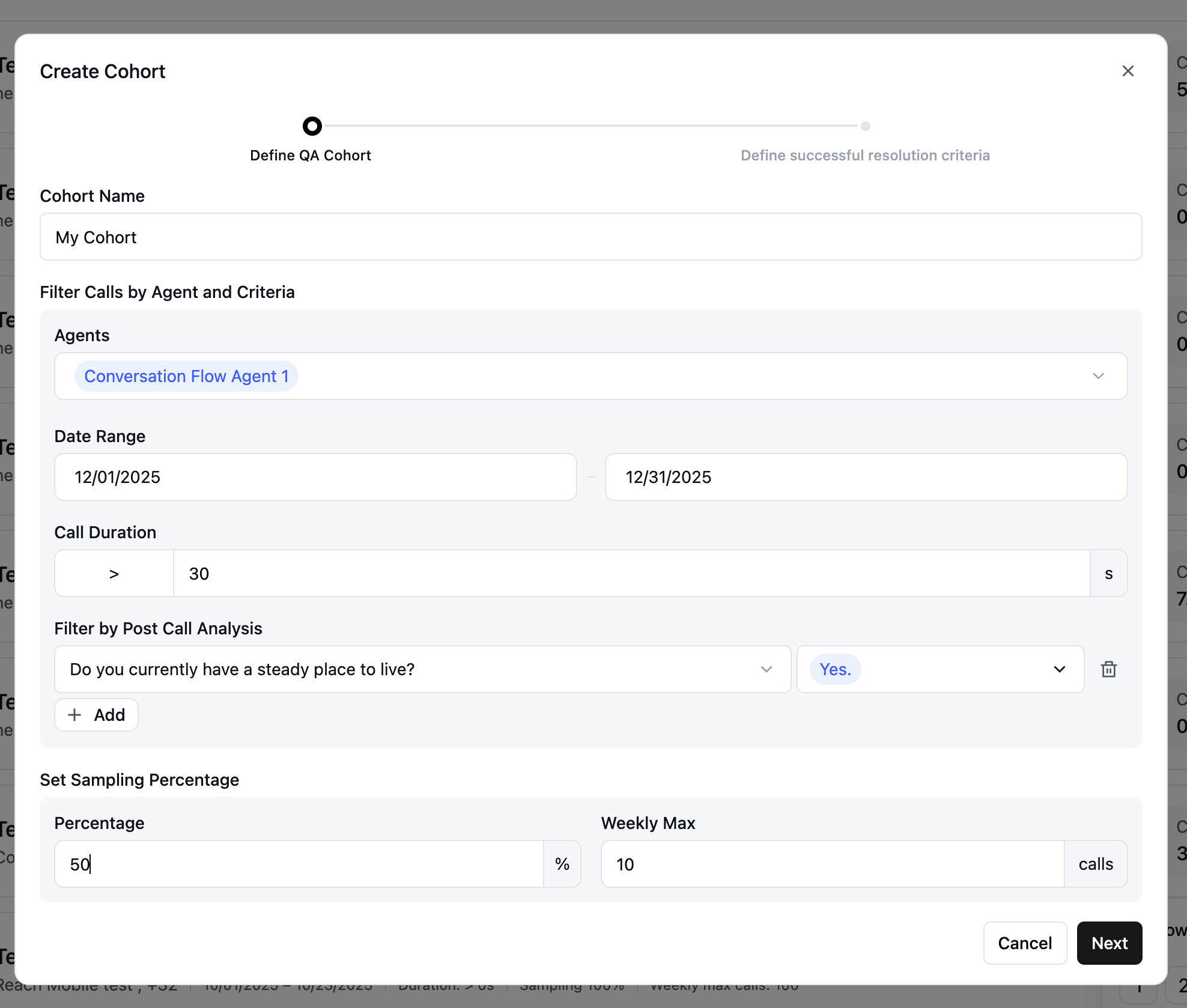
The cohort creation form, where you name the cohort, filter calls, and set sampling.
1
Name the cohort
Give the cohort a unique name that indicates its purpose or filters, so it’s easy to find on the AI QA dashboard — for example,
High-value customers Q4 or Support calls - week 1.2
Filter calls by agent and criteria
Choose which calls to include based on the following filters:
- Agents — Select one or more agents whose calls you want to analyze. Use this to focus on a single agent or compare performance across several.
- Date range — The start date is required. The end date is optional; leave it blank to create a dynamic cohort that keeps adding new matching calls as they occur.
- Call duration — Include or exclude calls by length. Filter out very short calls (for example, under 30 seconds) that carry little signal, or focus on longer calls that need more analysis.
- Disconnection reason — Filter by disconnection reason.
- Post Call Extraction — Add custom filters based on your Post Call Extraction results.
3
Set the sampling percentage
Sampling controls how many of the filtered calls are actually analyzed, so you can manage volume and cost.
- Percentage — The share of matching calls to include. Setting 50% analyzes half of all calls that match your filters.
- Weekly max — A cap on how many calls are analyzed per week. Setting it to 100 keeps the cohort under 100 calls a week even if the percentage would allow more.
The weekly max is a ceiling. If the percentage yields fewer calls than the max, the percentage applies; if it yields more, the max applies.
4
Continue
Once your filters and sampling are set, click Next to move on to resolution criteria.